
Features Included in every plan
Visually map your business processes with interactive flow charts. Display decision points, workflow paths, and clickable buttons that connect your team to the right resources - all within Waybook.

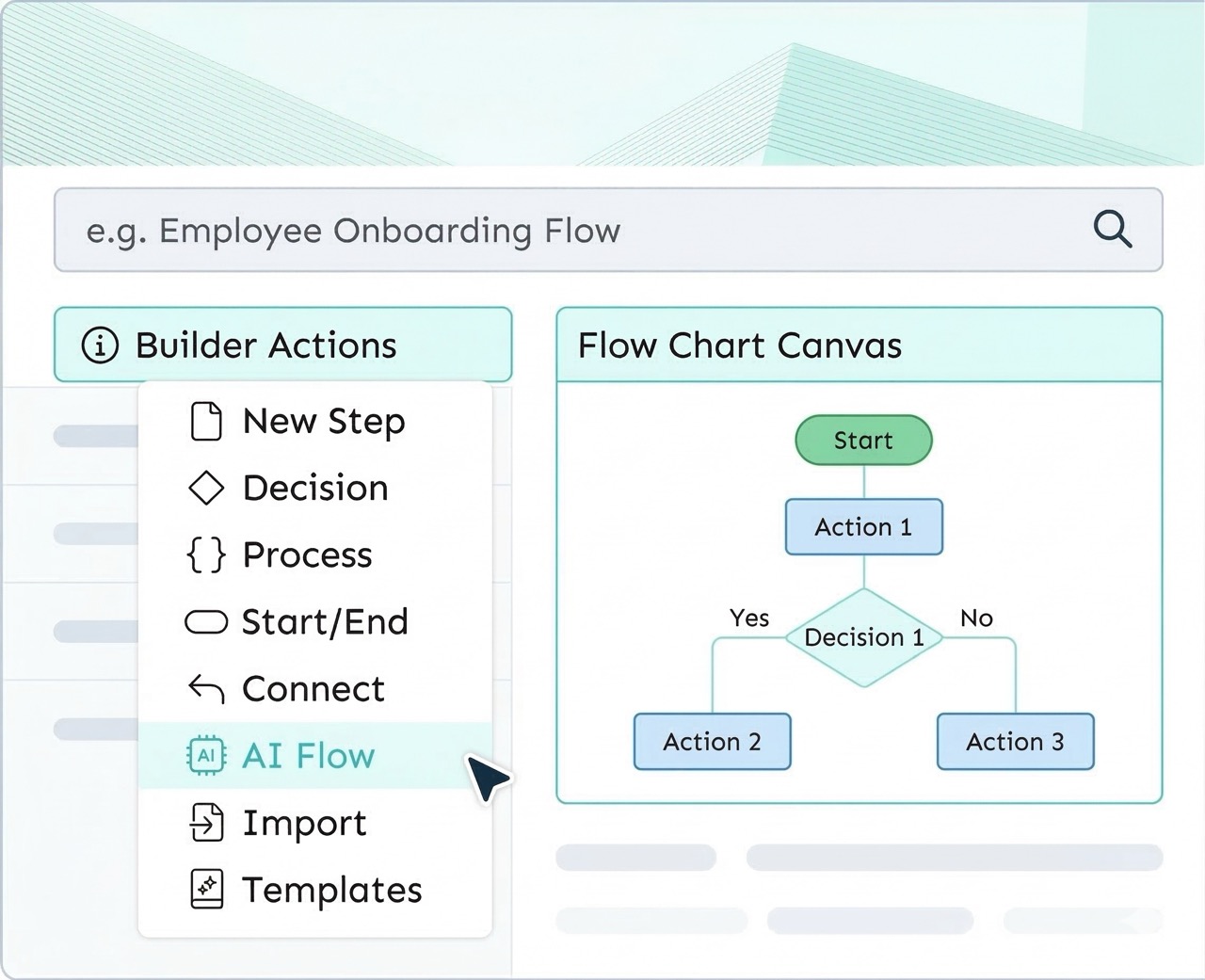
Create visual process maps with decision points, interactive buttons, and AI-assisted chart building.
Flow Charts in Waybook let your team see the full picture of any process at a glance. Instead of scrolling through lengthy documents, your team gets a clear visual overview with decision points, process stages, and workflow paths laid out in an intuitive format.
Each element in your flow chart can include buttons that link directly to specific SOPs, training pathways, external tools, or other Waybook documents - making it easy for your team to navigate complex, multi-system workflows without getting lost.
Flow Charts are perfect for complex processes with decision points like customer support escalation or approval workflows, onboarding journeys with links to training materials, multi-system workflows spanning multiple tools, and troubleshooting guides with decision trees.
Combine Flow Charts with detailed Steps in the same Document to give your team both the high-level overview and the granular instructions they need to execute with confidence.
Start a free 7-day trial of Waybook, or book a demo and we’ll walk you through it with your team’s processes in mind.
.webp)





.png)