Waybook is a company playbook platform: one place to document how your business runs, train your team on it, and prove they have read and understood it. SOPs, policies, onboarding and training, out of scattered drives and people's heads.
7-day free trial · 4.9/5 on Capterra
Waybook is a living operating manual for your team: the place where how the business runs is written down, taught and followed. Teams from 10 to 5,000 people run on Waybook. Waybook replaces the mix most growing companies live with: Google Drive folders, a 200-page Word document, a shared drive nobody trusts, and the one person everyone asks.
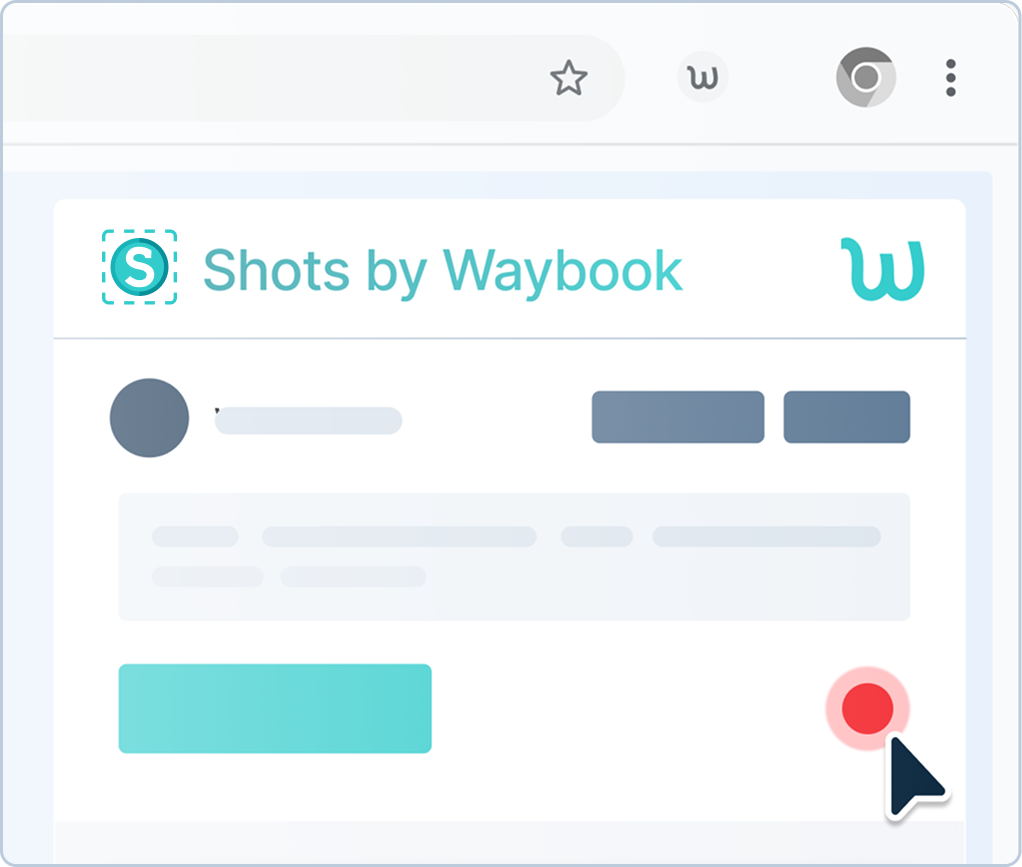
Capture a process with Waybook Shots while you do the work, and the screenshots become a step-by-step document you edit in Waybook. Draft from scratch with the AI Assistant (early access) or the AI Content Writer, from a prompt or from your own files. Import what you already have as Word, PDF, PowerPoint or Markdown files. And if there is a lot of it, our Content Migration team moves it for you.
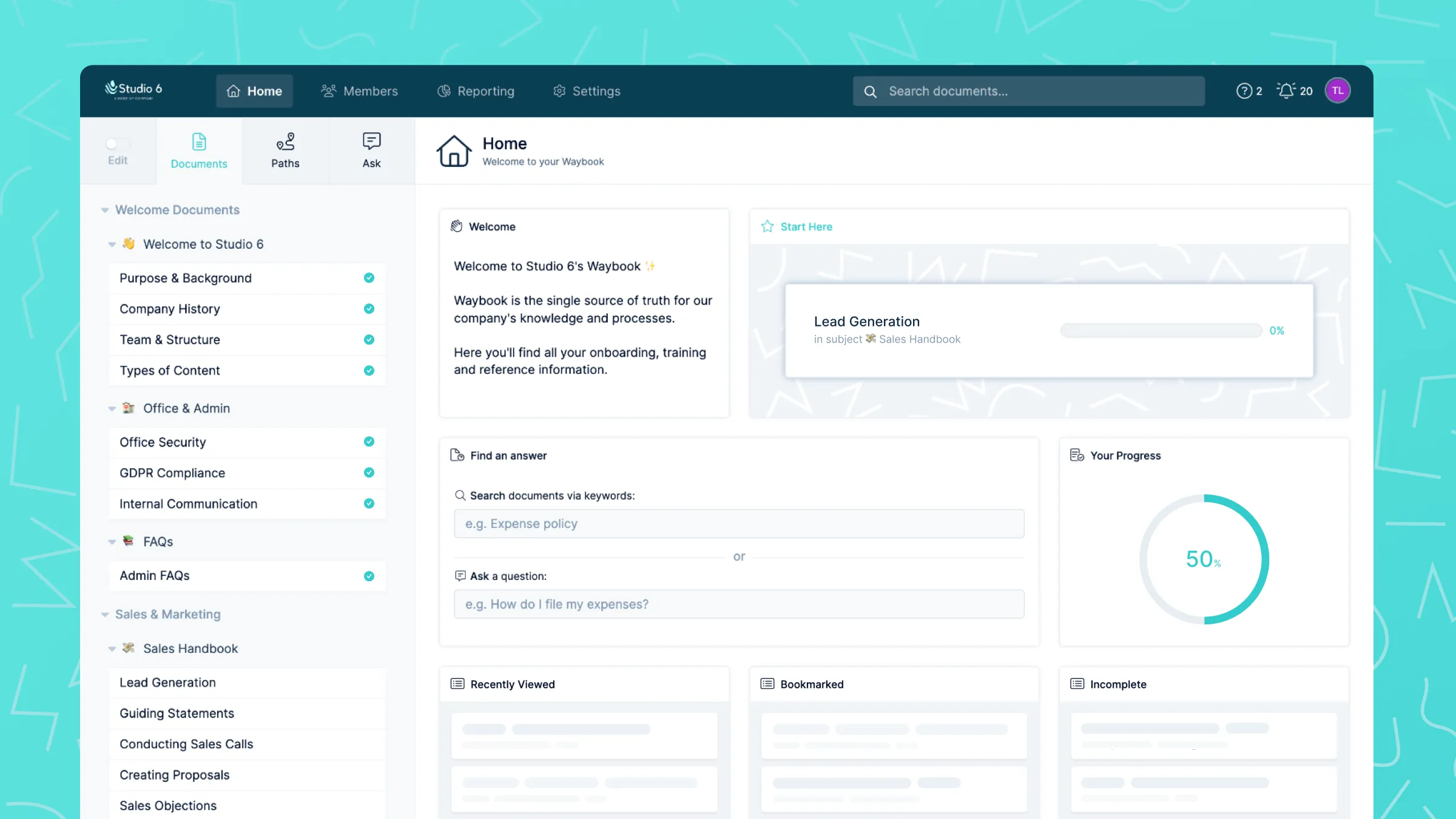
Documents live in subjects, and subjects are assigned to roles, teams or locations. Permissions run from read-only to publish. Owners and review dates keep each document verified, revision history keeps every change, and notifications go out when a process changes.
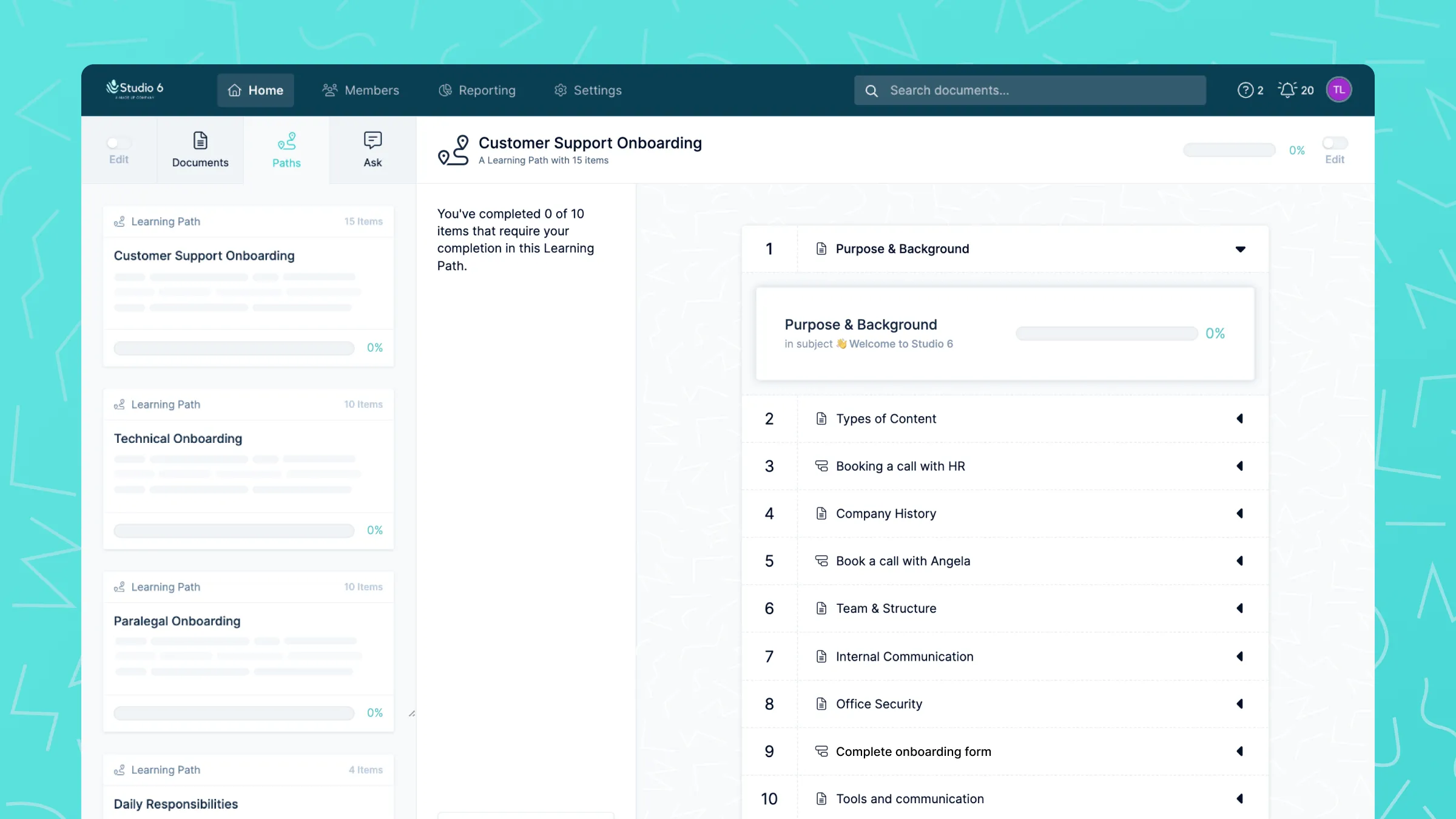
Learning paths string documents and offline tasks into the order a new hire needs. Tests check understanding, with a pass mark you set, and AI can write the test from the document. Due dates, recurring for compliance training, keep it moving.
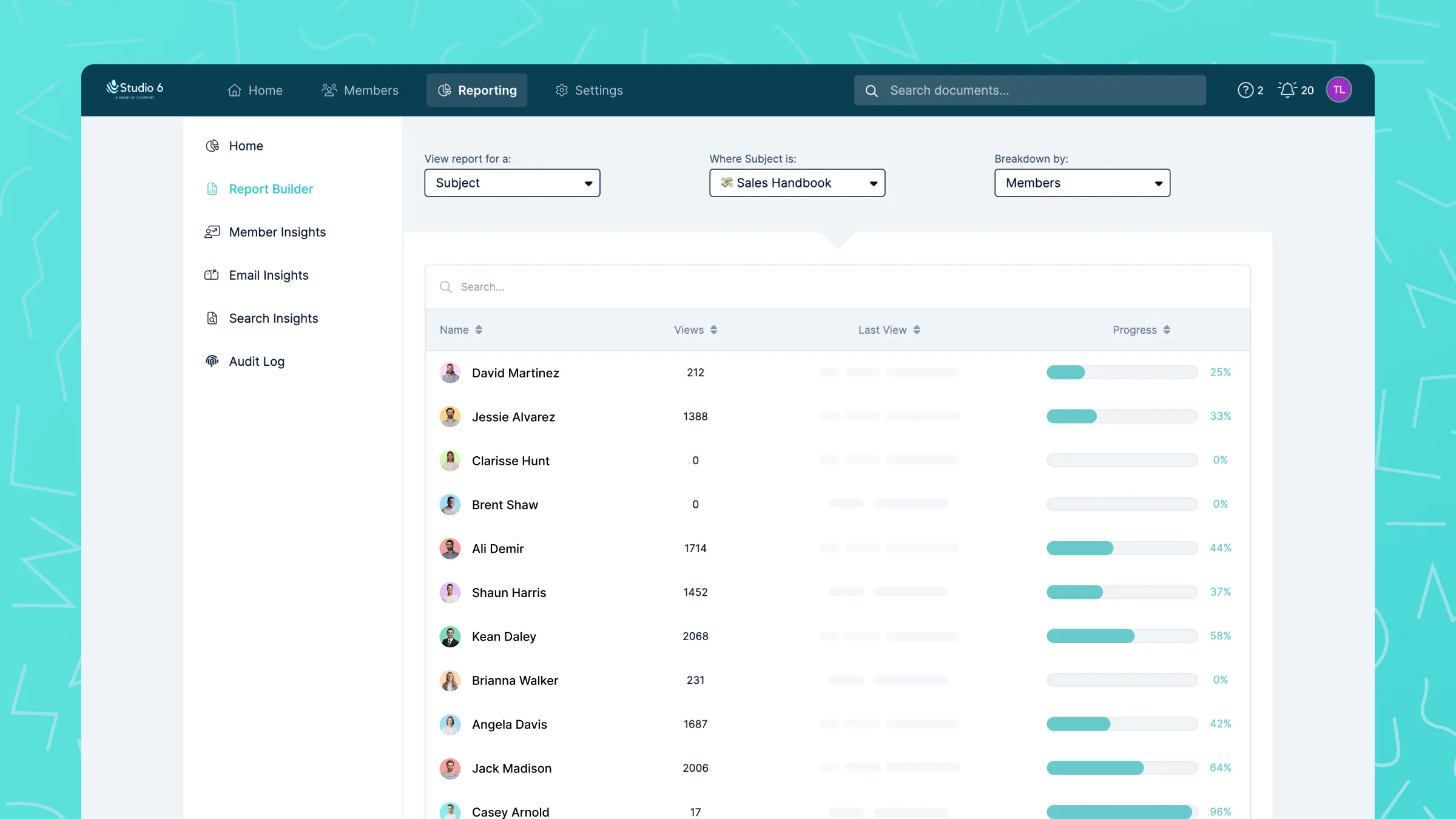
Confirmation steps record that each person has read a policy. Progress tracking shows completion by team, role or individual. Tests give you scores, and the audit log gives you the record a customer, an auditor or a regulator asks for.
Waybook is one product, not a bundle. Here is everything in Waybook, grouped by the job each feature does. Plan tiers are noted where a feature is not on every plan.
Get processes out of heads and files and into Waybook.
One current version of everything, owned, permissioned and kept up to date.
Learning paths, tests and confirmations, with the reports to show it.
AI that writes, tidies and finds your documentation, and connects it to the AI tools you already use.
Enterprise-grade controls, and the people who help you roll out.
The fastest way to know if Waybook is for you is to know where Waybook stops.

You are the operations manual right now. Waybook is where that knowledge goes, so the team can answer their own questions and you can stop being the bottleneck.

You inherited a team and a pile of half-written docs. Waybook turns them into a handbook your people actually use, with a training path for every role.

Consistency across teams is your job. Waybook gives every process one current version, one owner, and a record of who follows it.

Nobody can lean over and ask. Waybook is the searchable source of truth your team opens first, on desktop or in the mobile app, before they message a manager.

Two sites or thirty, the standard has to be the same. Waybook holds the company way in one place and shows each location following it.
From 10 people to 5,000, Waybook keeps everyone on the same page. Start a 7-day free trial, or book a demo and bring your messiest process.
Most Waybook customers have someone to answer to: a client, an auditor, a regulator, a franchisor. The product is built so the answer is a report, not a scramble.
.png)
Waybook is really our single source of truth. Everything that team members need to know and use within the company is sitting in Waybook.

.png)

Now it’s just second nature for us to go to Waybook and find the information we need. The whole team uses their initiative to find details rather than relying on endless conversations and explanations.
.png)

I can't imagine how we operated without Waybook. It's become integral to everything we do. If you're on the fence about implementing it, don't hesitate—Waybook will transform your business.


The more you use it, the more efficient operations become, consistency happens, employees are satisfied because they feel educated and have information at their fingertips and then they can use that time for their superpowers.


Clinicians now know to go to Waybook and search it like an internal Wikipedia. As we've built this up, my phone has gone eerily quiet… People are just using it, finding what they need, and the resource keeps getting better and better.


What I love about Waybook is that the answer will always be consistent and it will always reflect where the data is pulled from. When your employee starts their day, they should start it in Waybook. If they have a question, they should start at Waybook first before going to you because chances are it's already answered in Waybook.

Waybook is a company playbook platform. Growing teams use it to document standard operating procedures, policies and training in one place, onboard new hires through structured learning paths, and confirm that people have read and understood what applies to them. Waybook replaces documents scattered across Google Drive, wiki pages and people's heads with one searchable source of truth the whole team follows.
You write how the business runs as step-by-step documents and group them into subjects: onboarding, policies, sales, operations, whatever your structure is. Each subject is assigned to the roles, teams or locations that need it, so a new technician and a new office manager each see their own handbook. When a process changes, the people it affects are notified and asked to confirm they have read the update, so the playbook stays current instead of dying on a shelf.
Training runs on the same documents. A learning path puts documents and offline tasks in the order a person should complete them, with due dates, recurring for compliance training. Tests sit inside documents with a pass mark you set, and AI can generate a multiple-choice test from any document in seconds. Progress tracking shows who has completed what by team, role or individual. The common mistake is documenting everything before training anyone; start with the five processes new hires get wrong most, assign them, and build from there.
Start with what you repeat and what hurts. Three good first subjects: the onboarding path for your most common hire, the five questions your team asks you most often, and the processes where a mistake costs money or a customer. Capture them with Waybook Shots while you do them, or import the documents you already have, then assign them and watch who reads them. Structure grows from use, not from planning the whole library up front.
Waybook Shots is a browser extension. You do the task as normal, taking screenshots as you go, and Shots turns them into a numbered step-by-step document with the screenshots in place. You edit the wording in Waybook, assign it to the right roles, and it is live. It is the fastest way to get software processes out of one person's head. See Waybook Shots.
Yes, as a starting point, not as the finished SOP. The AI Content Writer drafts a process from a prompt, AI Actions tidies wording and turns bullet points into steps, and AI can generate the test. The AI Assistant, in early access, does this in one chat panel and can work from your own source files. What scales is the system around it: the draft is assigned to a role, an owner reviews it on a schedule, and confirmations show who read it. AI writes faster; Waybook is what makes the result stick.
Both. Import Word, PDF, PowerPoint and Markdown files yourself and edit them in Waybook. If you have a lot to move, our Content Migration team does it for you: a mapping call, a document review with a time and cost estimate within two working days, then migration in four to ten working days, with your content organized into subjects and documents. Ten hours of migration are included on annual Pro plans with more than 50 seats.
Through Waybook MCP, an MCP server included on the Pro plan. Connect Claude, ChatGPT, Gemini, Perplexity, Cursor or Microsoft 365 Copilot to your Waybook and they answer from your real documentation instead of guessing. The connection is read-only and respects each person's permissions, so an AI tool only sees what that user can see. Your content is never used to train AI models. See Waybook MCP and Waybook AI.
A general-purpose wiki gives you flexible pages and databases, but no built-in training, tests or read confirmation, so following the process depends on goodwill. Waybook is built for the process to be followed: documents are assigned to roles, people confirm they read them, tests check understanding, and reports show the gaps. A dedicated training platform comes closest, pairing a playbook with training built in; the differences are in capture, AI, pricing and how each handles multi-location teams.
Start your 7-day free trial, or book a demo and see Waybook on your own processes.