

The Best Knowledge Base Software in 2026
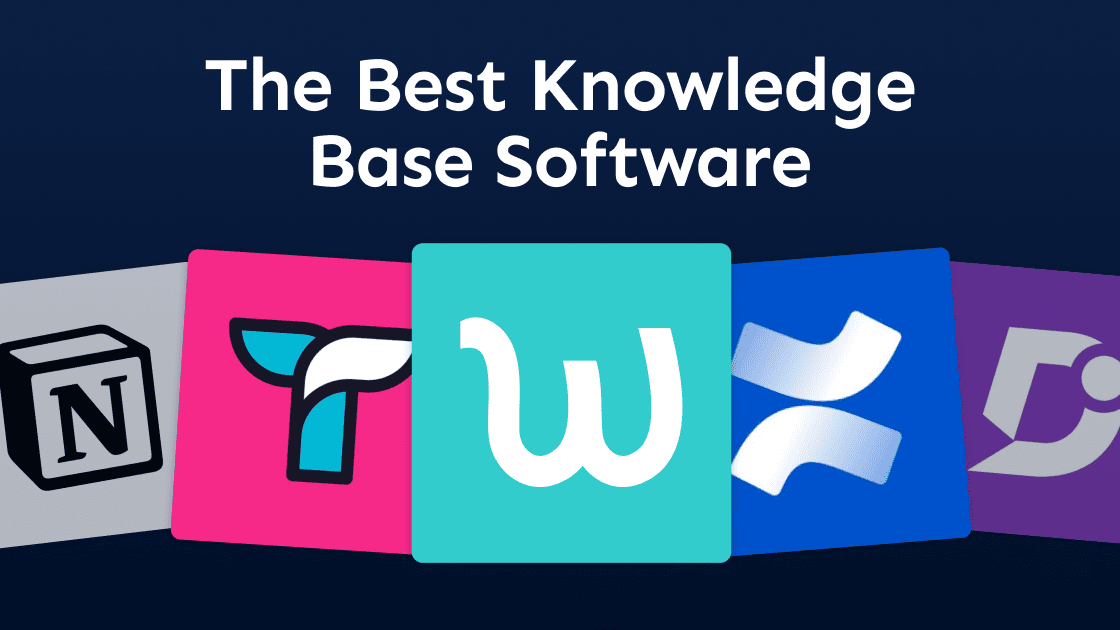
The best knowledge base software tools for 2026 are Waybook, Guru, Tettra, Notion, Confluence, Document360, Helpjuice, Slab, Bloomfire, and Google Docs — each built for a different audience, use case, and team size.
The most important distinction before picking a tool: are you building an internal knowledge base for your team, or an external help center for your customers? Most tools specialize in one or the other. Choosing the wrong category wastes months of setup time.
For operational teams that need internal processes documented, followed, and maintained, Waybook is the strongest all-in-one option. For customer-facing help centers, Document360 and Helpjuice are purpose-built. For enterprise knowledge management connected to Slack and existing workflows, Guru leads. Notion and Confluence work as flexible wikis but lack the structure and accountability that makes knowledge actually used.
At a glance:
Waybook — Best internal knowledge base for operational teams: SOPs + onboarding + training + AI search in one place
Guru — Best for enterprise teams surfacing verified knowledge inside Slack and existing workflows
Tettra — Best simple internal wiki for small teams already using Slack
Notion — Best flexible workspace, but no accountability or SOP structure
Confluence — Best for engineering teams in the Atlassian ecosystem
Document360 — Best for external-facing customer help centers
Helpjuice — Best for teams that prioritize analytics and customization in a help center
Slab — Best simple internal wiki with clean design and good search
Bloomfire — Best for large enterprises managing complex institutional knowledge
Google Docs — Free document storage, not a knowledge base system
What Is Knowledge Base Software?
Knowledge base software is a platform for creating, organizing, and sharing information in a centralized, searchable system. It can serve two distinct audiences:
Internal knowledge base — for your team: SOPs, standard operating procedures, onboarding guides, policies, and operational processes
External knowledge base — for your customers: help articles, FAQs, product guides, and troubleshooting documentation
Most tools specialize in one. Choosing an external help center tool for internal operations — or a general wiki for customer support — creates friction that compounds as the team grows.
The best internal knowledge base tools go beyond storage. They organize processes, track whether team members have read and understood key information, and keep content current as the business changes. Without accountability, a knowledge base becomes a folder nobody trusts.
Our Top Picks for the Best Knowledge Base Software (2026)
Waybook — Best all-in-one internal knowledge base for operational teams
Guru — Best for enterprise knowledge delivered inside existing workflows
Tettra — Best simple internal wiki for Slack-first small teams
Notion — Best flexible wiki for teams that want full customization
Confluence — Best for engineering teams in the Atlassian ecosystem
Document360 — Best for external-facing customer help centers
Helpjuice — Best for analytics-heavy external knowledge bases
Slab — Best clean internal wiki with strong search
Bloomfire — Best for large enterprise knowledge management
Google Docs — Free storage only, not a knowledge base
Quick Comparison: Best Knowledge Base Software in 2026
Tool | Best for | Internal KB | External KB | AI creation | Training + tracking | SOP structure |
|---|---|---|---|---|---|---|
Waybook | Operational teams needing SOPs + onboarding + knowledge in one place | Yes | No | Yes | Yes | Yes |
Guru | Enterprise teams surfacing verified answers inside Slack and workflows | Yes | No | Yes | Limited | Limited |
Tettra | Simple internal wiki for Slack-first small teams | Yes | No | Limited | No | Limited |
Notion | Flexible wikis where teams build their own structure | Yes | No | Limited | No | No |
Confluence | Engineering teams in the Atlassian ecosystem | Yes | Limited | No | No | Limited |
Document360 | External-facing customer help centers | Limited | Yes | Yes | No | Yes |
Helpjuice | External KB with deep analytics and customization | Limited | Yes | No | No | Limited |
Slab | Clean internal wiki with strong search | Yes | No | No | No | No |
Bloomfire | Large enterprise knowledge management | Yes | No | Yes | No | No |
Google Docs | Free document storage with no KB features | No | No | No | No | No |
Bottom line: Most knowledge base tools help you store information. Waybook is built to make sure your team actually uses it. Try it free for 7 days.
1. Waybook
Best for: Operational teams that need SOPs, onboarding, and knowledge in one place
Waybook is the only knowledge base platform on this list built specifically for operational teams. While most knowledge base tools focus on storing articles and answering questions, Waybook treats documentation and accountability as the same problem. Your team does not just have access to processes — they are assigned them, tracked on them, and held accountable for reading and understanding them.
This makes Waybook the right choice for businesses where how work gets done matters as much as what work gets done — field services, healthcare, professional services, and real estate operations where inconsistency costs money.
What sets it apart from every other tool on this list:
AI creation — draft SOPs, policies, and guides from bullet points or rough notes in minutes
Waybook Shots — visual step-by-step capture without screen recording software
Structured playbook system — organized by team, department, or role, not just folders
AI-powered search (Ask) — team members get immediate answers from your own processes
Training verification — read receipts, quizzes, onboarding flows, and completion tracking
Version control — every update is tracked, owned, and re-acknowledged by the team
Limitations
Not designed for external customer-facing help centers
Not an enterprise knowledge management platform with Salesforce or Zendesk integrations
If you need your team to follow documented processes — not just have access to them — Waybook is purpose-built for that.
Get started on Waybook for free
2. Guru
Best for: Enterprise teams surfacing verified knowledge inside Slack and daily workflows
Guru is an enterprise knowledge platform that delivers verified answers directly inside the tools teams already use — Slack, Microsoft Teams, Salesforce, and more. It is built for large organizations where knowledge needs to be governed, verified, and surfaced in real time without switching context.
Strengths
Deep integrations with Slack, Teams, Salesforce, and CRM tools
AI-powered search that delivers answers inside existing workflows
Verification workflows ensure knowledge stays accurate
Strong governance and permissions for large teams
Limitations
Expensive — built for enterprise budgets
Longer setup and configuration time
No visual process capture or onboarding training flows
Overkill for teams under 100 people
Guru is a strong choice for larger organizations with complex knowledge governance needs. For growing teams under 200 people who need operational knowledge documented and followed, Waybook is a more practical fit.
3. Tettra
Best for: Simple internal wikis for Slack-first small teams
Tettra is a focused internal knowledge base tool designed for small teams that live in Slack. It is clean, simple, and answers the core need: one place to store company knowledge that is easy to find.
Strengths
Simple setup with minimal learning curve
Clean Slack integration — answer questions directly from the knowledge base
Good for policies, FAQs, and team wikis
Affordable for small teams
Limitations
No AI creation or visual process capture
No training accountability, read tracking, or onboarding flows
Limited SOP structure — better for wikis than operational playbooks
Scales poorly once team size or process complexity grows
Tettra is a good starting point for very small teams that just need a shared wiki. It becomes limiting when you need processes followed, not just stored.
4. Notion
Best for: Flexible wikis where teams build their own structure
Notion is one of the most popular tools in this space — highly flexible, beautifully designed, and endlessly customizable. It is also not a knowledge base system. It is a workspace tool that teams frequently repurpose as one.
Strengths
Extremely flexible — build almost any structure imaginable
Great design and user experience
Notion AI for drafting and summarizing content
Templates and databases for organizing information
Free tier available
Limitations
No SOP structure — every team builds it differently, creating inconsistency
No training accountability, read tracking, or onboarding flows
Becomes a knowledge silo without a dedicated admin to maintain it
Search can be unreliable as content volume grows
No version control or acknowledgment tracking
Notion is an excellent workspace. It is a poor operational knowledge base because it has no built-in accountability for whether documented processes get followed.
Waybook vs. Notion: full comparison
5. Confluence
Best for: Engineering teams in the Atlassian ecosystem
Confluence is the documentation backbone for teams using Jira. It is a strong technical documentation tool and a poor fit for operational process knowledge.
Strengths
Deep Jira integration for engineering and product teams
Excellent template library for technical documentation
Robust permissions and page organization
Limitations
Steep learning curve for non-technical staff
Clunky and slow for everyday operational use
No training flows or read tracking
Poor fit for onboarding or operational SOPs
Search often frustrates users at scale
Waybook vs. Confluence: full comparison
6. Document360
Best for: External-facing customer help centers
Document360 is a purpose-built knowledge base platform for customer self-service portals. It excels at public-facing documentation and is the wrong tool for internal operational knowledge.
Strengths
Best-in-class structure for external help centers
AI-powered content creation and article management
Strong analytics on article performance
Good versioning and approval workflows
Limitations
Expensive — starts at $199 per month
Not built for employee onboarding or internal training
No visual process capture or SOP structure
No read tracking or accountability for internal teams
If your priority is a customer help center, Document360 is a strong choice. For internal knowledge, other tools on this list serve the use case better.
7. Helpjuice
Best for: External knowledge bases with deep analytics and customization
Helpjuice is a dedicated knowledge base platform focused on customer-facing documentation with strong analytics and brand customization options.
Strengths
Powerful analytics showing exactly how articles perform and where users drop off
Deep customization for brand alignment
Intelligent search with good autocomplete
Limitations
Expensive — starts at $120 per month
No internal SOP structure, training flows, or onboarding accountability
Built almost entirely for external use cases
Helpjuice is the right choice if analytics and customization are your primary requirements for an external help center. It is not built for operational teams documenting internal processes.
8. Slab
Best for: Clean internal wikis with strong search
Slab is a focused internal knowledge base tool with a clean interface, good search, and simple organization. It is a step up from Notion for teams that want less flexibility and more structure.
Strengths
Clean, intuitive interface with a low learning curve
Strong unified search across all content
Good integrations with Slack, GitHub, and Asana
Simple topic-based organization
Limitations
No AI content creation
No training accountability, read tracking, or onboarding flows
Limited advanced analytics
No SOP-specific structure or version control
Slab is a well-designed internal wiki. It is not an operational knowledge system — it stores information but does not help you ensure your team follows it.
9. Bloomfire
Best for: Large enterprise knowledge management across departments
Bloomfire is an enterprise knowledge management platform built for large organizations that need to organize and democratize institutional knowledge across teams, departments, and regions.
Strengths
AI-powered search across diverse content formats
Strong for organizing large volumes of institutional knowledge
Analytics on knowledge engagement and usage
Built for high-growth enterprise teams
Limitations
Enterprise pricing — not built for teams under 200 people
Long implementation time
No visual process capture or operational SOP structure
More focused on knowledge discovery than process accountability
Bloomfire solves a real problem at scale. For growing businesses under 200 people that need operational processes documented and followed, it is overcomplicated and overpriced.
10. Google Docs
Best for: Free document storage — and nothing more
Almost every team starts here. Google Docs is free, familiar, and universally accessible. It is not a knowledge base.
Strengths
Free and universally accessible
Real-time collaboration
No learning curve
Limitations
No structure — knowledge lives in random folders nobody can find
No version control or process ownership
No training flows, read tracking, or accountability
Scales into chaos as team size and content volume grows
Knowledge silos form immediately across teams
Google Docs works until the day it does not. Most teams realize the problem only after months of content becoming impossible to find or trust.
How to Choose the Right Knowledge Base Software
1. Decide who it is for
Internal teams need SOPs, onboarding guides, and operational processes that are organized, searchable, and tracked. External customers need help articles, FAQs, and troubleshooting guides that are publicly accessible and well-branded. Pick a tool built for your primary audience — using an external help center tool for internal operations adds friction and vice versa.
2. Decide if accountability matters
Storage and accountability are different problems. If you need to know whether your team has read and understood key processes — for compliance, onboarding, or operational consistency — you need read tracking, acknowledgment, and verification. Most knowledge base tools do not provide this. Waybook does.
3. Think about discoverability, not just organization
The best knowledge base is the one your team actually uses. If team members cannot find what they need in under ten seconds, they stop trusting the system and revert to asking someone. Look for AI-powered search, clean navigation, and role-based visibility so each person sees exactly what is relevant to them.
4. Plan for maintenance
The biggest failure mode for knowledge bases is content going stale. Choose a tool with version control, document ownership, and notification workflows so updating and re-acknowledging processes is built into the system rather than relying on manual audits.
Frequently Asked Questions About Knowledge Base Software
1. What is the best knowledge base software in 2026?
It depends on your use case. For operational teams that need internal processes documented, followed, and maintained, Waybook is the strongest option. For customer-facing help centers, Document360 and Helpjuice are purpose-built. For enterprise knowledge management connected to Slack and other tools, Guru leads. Notion and Confluence work as flexible wikis but lack accountability and SOP structure.
2. What is knowledge base software?
Knowledge base software is a platform for creating, organizing, and sharing information in a centralized, searchable system. It can serve employees (internal knowledge base) or customers (external help center). The best internal knowledge base tools go beyond storage — they organize standard operating procedures, track whether team members have read and understood key information, and keep content current as the business evolves.
3. What is the difference between an internal and external knowledge base?
An internal knowledge base is for your team — SOPs, onboarding guides, policies, and operational processes. An external knowledge base is for your customers — help articles, FAQs, and troubleshooting guides. Waybook is purpose-built for internal knowledge. Document360 and Helpjuice are built for external help centers.
4. What is the best internal knowledge base software for small businesses?
Waybook is the strongest option for small and growing businesses that need their internal processes organized, their team trained, and their knowledge maintained in one place. Notion is a popular free alternative but lacks accountability and SOP structure. Tettra is purpose-built for internal wikis but more limited on training and verification features.
5. What knowledge base software is best for employee onboarding?
Waybook is the strongest option for onboarding because it combines the knowledge base with structured employee onboarding paths, read tracking, and quiz-based verification. New hires can self-serve their entire onboarding from one organized playbook. Most knowledge base tools store onboarding content but do not track whether new hires have actually read and understood it.
6. Can a knowledge base replace Google Drive or Notion for internal documentation?
For most growing teams, yes. Google Drive and Notion are general-purpose tools that become disorganized at scale. A purpose-built internal knowledge base like Waybook gives you structured organization, version control, read tracking, and AI-powered search — so your team can find what they need in seconds rather than digging through folders.
7. How much does knowledge base software cost?
Pricing varies widely by use case. Waybook starts at around $8 per user per month. Guru starts at $15 per user per month. Tettra is around $8.33 per user per month. Helpjuice starts at $120 per month flat. Document360 starts at $199 per month. Notion has a free tier. The right choice depends on whether you need an internal operational system or an external customer help center.
8. What is the easiest knowledge base software to set up?
Waybook, Notion, and Tettra are consistently rated as the easiest to get started with. Waybook's AI writer lets you draft your first SOPs and knowledge articles in minutes. Most teams have a working internal knowledge base in place within one to two weeks. Enterprise tools like Guru and Bloomfire have longer setup times due to integrations and governance configuration.
9. Does Waybook work for EOS teams?
Yes. Many EOS teams use Waybook as their company playbook — the internal knowledge base where Core Processes live, get assigned to the team, and stay current as the business evolves.
Your Team Deserves a Knowledge Base They Actually Use.
Most knowledge base tools help you store what your team knows.
Waybook helps you build a living operational system where that knowledge gets followed every day.
AI creates your first drafts in minutes
Shots captures visual processes without screen recording
Your playbook organizes everything by team, role, and department
Ask gives your team instant answers from your own processes
Verification confirms your team has read, understood, and acknowledged what matters
Waybook is the internal knowledge base built for operational teams — not IT departments, not enterprise support desks. If your priority is consistency, accountability, and a team that knows how work gets done, see how Waybook works as a knowledge base.