
The best Scribe alternatives in 2026 are Waybook, Tango, Trainual, Process Street, Usewhale, Floik, Notion, Connecteam, and Loom. The right pick depends on what you actually need: if you need fast screen-capture walkthroughs for one person, Scribe works. If you need processes that are owned, governed, updated, and searchable across a growing team, you need something built for that purpose.
Waybook is the strongest overall alternative: structured SOPs, onboarding flows, AI-assisted creation, and Waybook Shots, a visual process capture tool that replaces Scribe's core feature inside a full process management platform. Pricing starts at $99/month for 20 seats.
What is Scribe used for?
Scribe is primarily used to capture step-by-step instructions automatically by recording on-screen actions. Teams use it for quick process walkthroughs, basic training documentation, and visual how-to guides for software workflows. Its strength is speed of capture. Its weakness is everything that comes after: ownership, updates, governance, and searchability at scale.
Where Scribe falls short for growing teams
As teams scale, documentation needs change. Common limitations include:
No SOP structure. Guides do not connect into systems or link to onboarding flows.
Weak version control. Hard to manage updates when processes change across departments.
No governance layer. No clear ownership, no review workflows, no accountability built in.
Fragmentation. Documentation lives in isolated guides with no central hub or searchable repository.
Limited onboarding support. No way to assign guides, track completion, or verify that training was completed.
This is the point where most teams start searching for Scribe alternatives built for SOP management, onboarding, and long-term process consistency.
Quick comparison: Scribe alternatives at a glance
Tool | Best for | Visual | Onboarding | Mobile | Starting |
|---|---|---|---|---|---|
Waybook | SOP management and onboarding |  | | | $99/month for 20 seats |
Tango | Quick how-to guides | |  | | Free; Pro from $16/user/month |
Trainual | Structured employee training | | | | From $250/month |
Process Street | Repeatable workflows | | Partial | | From $100/month |
Usewhale | Collaborative process docs | | | | Check current pricing |
Floik | Interactive product demos | | | | Free plan available |
Notion | Teams already on Notion | | | | Free; Plus from $10/user/month |
Connecteam | Deskless and frontline teams | | | | Free up to 10 users; from $29/month |
Loom | Video walkthroughs | | | | Free; Business from $12.50/user/month |
1. Waybook
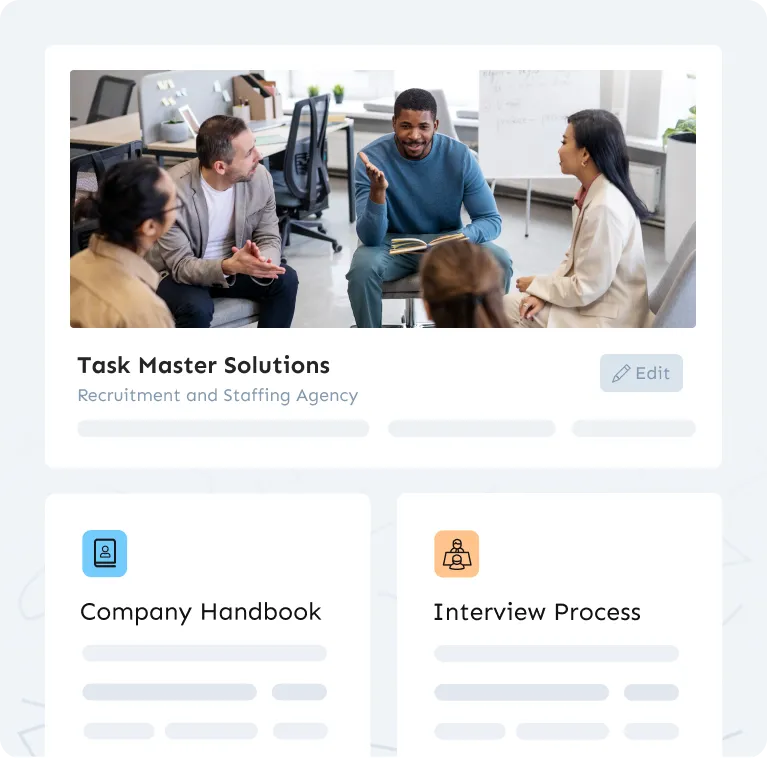
Waybook is the strongest Scribe alternative for teams that need process documentation to work at scale. Where Scribe captures one-off walkthroughs, Waybook gives your team a structured home for all processes: SOPs, onboarding flows, team handbooks, and role-specific training, all in one searchable platform.
The key feature for teams switching from Scribe is Waybook Shots. Shots lets you capture visual step-by-step guides automatically, just like Scribe, but those guides live inside your Waybook workspace. They connect to onboarding flows, get assigned to new hires, and sit alongside your full SOP library rather than floating as standalone files.
Waybook also includes AI-assisted SOP creation, which reduces the time to get your first draft live. You describe the process, and the AI builds the structure. You review, edit, and publish. For teams migrating from a scattered collection of Scribe guides and Google Docs, this cuts setup time considerably.
The governance features are where Waybook separates itself most clearly from Scribe. Each document has an owner, a review date, and a change history. Managers can see who has read what, send reminders to people who have not completed onboarding steps, and confirm that training was absorbed, not just opened.
Best for: Growing teams that want Scribe-style visual capture inside a full SOP and onboarding platform.
Pricing: From $99/month for 20 seats. Scales with team size.
G2 rating: 4.8/5
2. Tango
Tango is the closest direct substitute for Scribe's core feature. It auto-captures step-by-step instructions as you click through a workflow, generating a visual guide instantly. The output is clean, shareable, and easy to embed in other tools like Notion or Confluence.
The Chrome extension approach is the same as Scribe: install, record, share. If your team's primary use case is creating quick how-to guides for internal software processes and you do not need SOP management, onboarding flows, or document governance, Tango is worth testing before committing to a heavier platform.
The limitations are similar to Scribe's. Tango is a capture tool, not a documentation platform. There is no centralized library, no onboarding assignment, no ownership or review system, and no way to build structured training programs. Guides are useful when fresh and lose value quickly as software interfaces change.
Tango has a free plan, which makes it easy to evaluate. The Pro plan adds blur for sensitive data, custom branding, and guide analytics.
Best for: Teams that need fast visual how-to guides and are already managing documentation elsewhere.
Pricing: Free plan available. Pro from $16/user/month.
G2 rating: 4.8/5
3. Trainual
Trainual is built for structured employee training and onboarding. If Scribe is a capture tool, Trainual is a training system: you build content by role, department, and responsibility, assign it to employees, and verify that it was completed through quizzes and assessments.
The structure in Trainual is its main strength. You organize content into subjects, topics within each subject, and steps within each topic. New hires follow a defined path rather than hunting through a folder of guides. This makes Trainual genuinely useful for onboarding-heavy environments: franchises, retail, hospitality, and fast-growing startups with regular new hire cohorts.
Trainual does not have screen capture built in. You bring your own content: videos, text, screenshots, or embedded Loom links. The platform is the structure and delivery layer, not the creation layer.
The pricing is notably higher than most alternatives, starting at $250/month. This makes it a better fit for mid-market teams (30 or more employees) than small teams testing the waters.
Best for: Companies with high onboarding volume that need structured, role-based training with completion tracking.
Pricing: From $250/month. Check trainual.com for current plans.
G2 rating: 4.7/5
4. Process Street
Process Street is a workflow and checklist tool built for repeatable business processes. It is not a documentation platform in the same sense as Waybook or Trainual: the core unit is a run, meaning a live instance of a process being executed, not a static document being read.
Teams use Process Street for things like employee onboarding checklists, client intake workflows, content approval processes, and compliance audits. Each run can be assigned to a team member, tracked to completion, and have conditional logic applied (if a step is answered a certain way, a different set of steps appears).
The distinction from Scribe is significant. Scribe captures how to do a task. Process Street manages whether the task was done, in the right order, by the right person. These tools answer different questions. If you need both, Process Street is often used alongside a documentation platform rather than as a standalone replacement.
Best for: Operations teams that need repeatable process execution with accountability and conditional logic.
Pricing: From $100/month. Check processstreet.com for current plans.
G2 rating: 4.6/5
5. Usewhale
Usewhale is a collaborative process documentation tool positioned as a modern alternative to Scribe for teams that want cleaner, more structured output than Scribe's auto-generated guides. The interface prioritizes simplicity and collaboration, making it approachable for non-technical team members who need to contribute documentation without a steep learning curve.
Usewhale's focus is the creation and sharing of step-by-step processes within a team context. Unlike Scribe, which exports shareable links or embeds, Usewhale is designed to be a shared workspace where multiple contributors maintain documentation together.
It is a smaller player in this space, and the feature set is more focused than platforms like Waybook or Trainual. Teams that need a lightweight, easy-to-adopt documentation tool with collaborative editing and a clean output format will find it worth evaluating. Teams that need governance, onboarding flows, or integrations with HR systems will need something more built out.
Best for: Small teams that want collaborative, structured process documentation without the overhead of a full SOP platform.
Pricing: Check usewhale.io for current pricing.
6. Floik
Floik is an interactive product demo and how-to guide tool. It sits in a similar space to Scribe and Tango for visual capture, but the output is more interactive: users can click through the guide as if it were a live product walkthrough rather than reading a static list of screenshots.
Floik is primarily used by SaaS companies for customer-facing documentation: onboarding new product users, embedding walkthroughs inside the product interface, and creating sales demos. It is less commonly used for internal SOP documentation, which is where most Scribe users sit.
For teams building internal process guides, Floik can work, but the interactive format is often more complexity than needed. For teams with a product documentation use case alongside internal SOPs, it is worth evaluating as a single tool that covers both.
Best for: SaaS teams that need interactive product walkthroughs for customer onboarding alongside internal documentation.
Pricing: Free plan available. Check floik.com for current paid plans.
G2 rating: 4.7/5
7. Notion
Notion is a flexible wiki and document tool that many teams use as a documentation hub. It is not a Scribe alternative in the capture sense: Notion does not auto-generate step-by-step guides. What it does is provide a flexible canvas for writing, organizing, and linking documentation in ways that many teams find more maintainable than a tool like Scribe.
Teams already using Notion often build their SOP library there rather than adding a separate tool. This works for small teams with disciplined documentation habits. It breaks down at scale: Notion lacks structured onboarding flows, document ownership, completion tracking, and the governance layer that growing teams need.
The strength of Notion is its flexibility. The weakness is the same: without templates, conventions, and active maintenance, Notion documentation becomes a graveyard of outdated pages quickly. Teams that have experienced this pattern tend to move to purpose-built platforms like Waybook.
Notion is worth considering if your team is small, already embedded in the Notion ecosystem, and documentation is a secondary concern rather than a core operational need.
Best for: Small teams already using Notion that want a lightweight, consolidated documentation layer without adding a new tool.
Pricing: Free plan. Plus from $10/user/month. Business from $18/user/month.
G2 rating: 4.7/5
8. Connecteam
Connecteam is a mobile-first operations platform built specifically for deskless and frontline teams: retail, construction, hospitality, logistics, field services, and any business where employees are not sitting at a desk. It covers training and documentation alongside scheduling, time tracking, communication, and task management in a single app.
For process documentation, Connecteam lets you build training courses, knowledge base articles, and procedural guides that employees access from their phones. There is no screen capture feature equivalent to Scribe, but the platform is designed for environments where processes are operational (how to open a shift, how to handle a customer complaint) rather than software-based (how to use a specific tool).
Connecteam is not a strong fit for office-based or hybrid teams building SOP libraries for knowledge work. The platform is optimized for frontline use cases: quick access on mobile, offline capability, and manager visibility into who has completed required training.
If your team is deskless and you have been trying to use Scribe to document operational processes for employees who do not have company laptops, Connecteam is likely a better fit for your context.
Best for: Deskless and frontline teams that need training, documentation, and operations management in a single mobile-first platform.
Pricing: Free for up to 10 users. Operations Hub from $29/month for 30 users. Check connecteam.com for current plans.
G2 rating: 4.6/5
9. Loom
Loom is a video recording and sharing tool. It is not a direct Scribe replacement in the step-by-step guide sense, but it addresses a similar underlying need: explaining a process asynchronously without a meeting. Where Scribe captures clicks and generates a text-and-screenshot guide, Loom captures your screen and voice and generates a video.
The two formats serve different learning styles. Scribe output is scannable and referenceable: users can jump to step 7 without watching anything. Loom output is contextual and personal: the presenter can explain the reasoning behind a process, not just the steps. Teams often use both, with Loom for complex or context-heavy processes and Scribe or Tango for quick how-to references.
Loom's weakness as a process documentation tool is maintainability. Videos go stale when a UI changes, and replacing a video is more friction than updating a text step. Teams that rely heavily on Loom documentation often find their library full of outdated recordings that no one maintains.
Best for: Teams that want to explain complex processes via video and value async communication over static guides.
Pricing: Free plan. Business from $12.50/user/month.
G2 rating: 4.7/5
Which Scribe alternative should you choose?
Best overall alternative: Waybook. SOP management, visual capture via Shots, AI creation, onboarding flows, and governance in one platform.
Best for quick visual how-tos: Tango. Closest feature match to Scribe, free plan available.
Best for structured employee training: Trainual. Role-based training with quizzes and completion tracking.
Best for repeatable workflows: Process Street. Checklist-based process execution with conditional logic.
Best for deskless teams: Connecteam. Mobile-first, covers frontline operations alongside training.
Best for interactive demos: Floik. Interactive walkthroughs for customer and internal use.
Best for video documentation: Loom. Async screen recording with narration.
Best for existing Notion users: Notion. Familiar tool with flexible structure.
Frequently asked questions
Is there a free Scribe alternative?
Yes. Tango, Floik, Loom, and Notion all have free plans. Waybook offers a trial so you can evaluate the platform before purchasing. Connecteam is free for teams of up to 10 users.
What is the best Scribe alternative for small teams?
For small teams under 20 people, Waybook and Tango are the strongest options. Waybook gives you a full SOP and onboarding system from day one, so you build good documentation habits early. Tango is lighter and free to start if your only need is quick visual guides.
Does Waybook replace Scribe?
Waybook Shots handles the visual step-by-step capture that Scribe is known for, and it sits inside a full process management platform. If you are using Scribe to document processes for a team, Waybook gives you everything Scribe does plus onboarding flows, governance, AI creation, and a searchable SOP library.
What is better than Scribe for process documentation?
Waybook is the strongest option for teams that need process documentation to scale. It includes visual capture, structured SOPs, AI-assisted creation, and onboarding assignment in one platform. Tango is a good option if you only need the capture feature and are managing documentation elsewhere.
Can you use Scribe alternatives for customer onboarding?
Yes. Waybook, Trainual, and Connecteam all support structured onboarding workflows. Floik is specifically designed for customer-facing product walkthroughs. Loom is commonly used for async customer onboarding videos. Tango and Scribe are primarily designed for internal documentation.