
By Mike Bandar, Co-founder of Waybook.
The best SOP software for your team depends on one thing: whether you need a tool for documentation only, or one that handles documentation, training, and accountability in the same place.
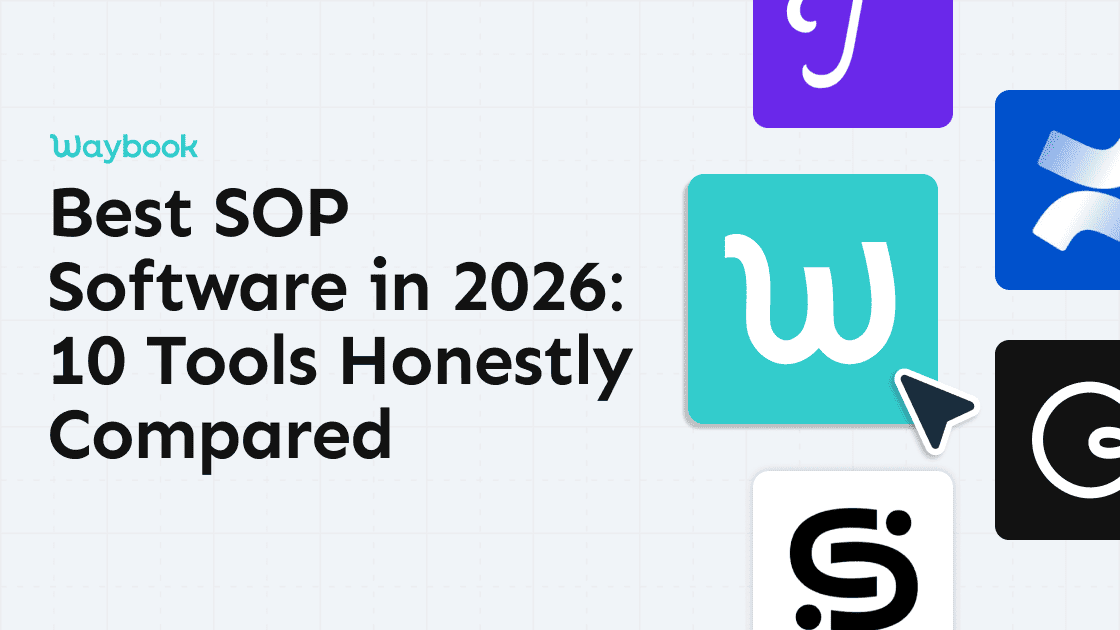
This guide compares all ten tools against the same criteria: how fast you can get your first SOP documented, whether your team will actually use it, what it costs, and what it genuinely cannot do. We cover Waybook, Trainual, Scribe, Process Street, SweetProcess, Notion, Confluence, Tango, Document360, and Whale. If you are comparing tools before committing to a trial, this is the page for you.
Last updated: September 2026
Start your free trial at Waybook
SOP software for growing teams
Our methodology
We evaluate every tool in this comparison against the same five criteria, in this order: how fast a team can document their first SOP, whether the tool tracks and enforces completion (not just storage, but assignment and accountability), whether it functions as a true system of record with search, versioning, and permissions rather than just a place to dump files, total cost at a real team size of 10 to 50 people rather than the advertised starting price, and what each tool explicitly cannot do. We built this list from live pricing checks (re-verified August 12, 2026), each vendor's own public documentation and product demos, and reviews on G2 and Capterra.
Why trust this list
Waybook is ranked number one below, and that's not a coincidence. Mike Bandar, Waybook's co-founder, put this list together, and we believe Waybook is the strongest option for teams that need SOPs, onboarding, and training in one place. What we've tried to do is be honest about it. Every competitor gets a real "what it does well" section, we don't hide their strengths, and we tell you plainly when another tool is a better fit for your situation. See the "Pick [Tool] if..." guidance throughout.
Quick comparison: All 10 tools at a glance
Tool | Best for | AI | Completion | Knowledge | Pricing |
|---|---|---|---|---|---|
Waybook | Growing ops teams (20 to 200) |  | | | $99/mo, billed annually |
Trainual | Structured training curricula |  | | | $249/mo (Core), captured in-app; not published |
Scribe | Auto-documenting processes | | | | Free, or from $13/seat/mo |
Process Street | Recurring workflow checklists | | | | Custom pricing, contact sales |
SweetProcess | Simplicity for small teams | | | | $99/month for up to 20 members, plus $5/mo per extra member |
Notion | Flexible documentation | | | | Free, or $10/seat/mo |
Confluence | Technical and engineering teams | | | | Free (10 users), or $5.42/user/mo |
Tango | Fast, browser-based screen capture | | | | Free, or from $15/seat/mo |
Document360 | Customer-facing knowledge bases | | | | Custom pricing, quote wizard |
Whale | EU-based businesses (GDPR-native) | | | | Free, or from $249/mo |
Pricing verified live on August 12, 2026. Since our last check, Trainual, Process Street, and Document360 have all moved to fully quote gated pricing with no public dollar figures at all, so we've marked those as contact sales rather than guess. Whale's pricing also increased substantially. We re-verify every price before publishing an update. We don't carry forward stale numbers.
See how Waybook compares to Trainual →See how Waybook compares to Process Street →
Start your free trial at Waybook
The 10 best SOP software tools for 2026
1. Waybook: Best for growing ops teams
Best for: Founders and ops managers at 20 to 200 person service businesses who want SOPs, onboarding, and a knowledge base in one place, without the overhead of an LMS.
Pricing: From $99/mo, 20 members included, billed annually. 7-day free trial available.
Waybook is the strongest all-in-one SOP platform available in 2026. It is the only tool on this list that combines AI-assisted SOP creation, visual process capture, structured playbooks, and training accountability in a single platform. Most tools give you a place to write processes. Waybook gives you a place to write them, assign them, track whether your team has read and understood them, and keep them current as the business changes.
What sets it apart: AI drafts your SOPs from scratch or from messy notes. Waybook Shots captures any process visually in minutes. The Ask feature lets your team find answers by asking questions in plain language, rather than searching through folders. Read receipts and training verification mean you know who has and has not completed onboarding.
What it does well:
Fastest time to a working SOP: AI handles the structure, you fill in the specifics
Waybook Shots creates visual step-by-step guides with no design work required
Read receipts and training verification built in: you can see exactly who has completed onboarding
Clean, non-technical interface that field teams and non-desk workers can use from day one
All-in-one: SOPs, onboarding flows, knowledge base, and AI answering in a single tool
Honest limitation: Waybook is not an LMS. If you need structured learning curricula with formal certifications or payroll integration, you will want to add an LMS or HRIS alongside Waybook. Waybook handles operational documentation and team onboarding extremely well. Employee performance management is outside its scope.
What makes Waybook different, in plain terms
Away from the pitch, this is what the product actually does.
Rated 4.9 out of 5 on Capterra from 56 reviews.
Read confirmation on every document shows who has read each SOP and when, so you can follow up with anyone who hasn't.
Knowledge tests and quizzes attach to any document, so training is verified, not assumed.
Waybook Shots captures any on-screen process as a step-by-step guide in minutes, and the AI SOP creator drafts a structured procedure from rough notes.
The Core plan is $99 a month billed annually with 20 members included, then $5 per additional member, includes unlimited documents, and comes with a 7-day free trial.
SOP software for growing teams
2. Trainual: Best for structured training curricula
Best for: Teams specifically looking for curriculum-style training paths, particularly franchise businesses and multi-location operators who want employees to progress through a defined learning sequence.
Pricing: Custom pricing. Trainual does not publish dollar figures for any of its plans (Core, Pro, Premium, Enterprise); you have to request a demo to get a quote.
Trainual is a training-first platform with a clean, approachable interface. It is built around structured onboarding curricula, where you define a learning sequence and employees work through it step by step. For teams whose primary documentation need is a formal training programme, it works well.
What it does well:
Curriculum-style training path builder
Good tracking for who completed what
Approachable for teams new to SOP software
Solid templates for onboarding content
Honest limitation: Trainual does not have AI-assisted SOP creation, visual process capture, or an all-in-one knowledge base. It is primarily a training tool, not a full operational documentation platform. Trainual doesn't publish pricing, so you won't know the real cost until after you've booked a demo. Teams that outgrow basic training flows find they still need a separate system for their operational SOPs and knowledge base.
See how Waybook compares to Trainual
3. Scribe: Best for auto-documenting processes
Best for: Teams that need to capture and share software processes fast, particularly for click-by-click workflows.
Pricing: Free tier available. Pro Team from $13/seat/month (5+ seats, billed annually). Pro Personal $25/seat/month (1+ seat).
Scribe does one thing very well: it watches you work through a process on your screen and generates a clean, annotated step-by-step guide automatically. For capturing software workflows, it is genuinely fast and the output is professional. The free tier is useful for individuals or small teams with occasional documentation needs.
What it does well:
Fastest way to capture a web or software-based process
Clean, annotated output with minimal effort
Genuinely useful free tier
Simple browser extension
Honest limitation: Scribe captures processes: it does not manage them. There is no structured playbook, no training verification, no onboarding flows, and no way to know whether your team has read anything. Most teams use Scribe to create individual guides that then get imported into Waybook, rather than as a standalone SOP platform.
4. Process Street: Best for recurring workflow checklists
Best for: Operations teams that run the same multi-step workflows repeatedly and want automation and conditional logic built into those checklists.
Pricing: Custom pricing. Process Street is now fully quote gated, with no dollar figures published. A 14 day free trial is still available, no card required.
Process Street is workflow-first. It is built around recurring checklists that can be automated, assigned, and tracked. If your core documentation need is running the same 15-step process every week with nothing skipped, it handles that well.
What it does well:
Conditional logic and workflow automation
Strong recurring workflow management
Clear audit trail for compliance tasks
Good third-party integrations
Honest limitation: Process Street is a workflow automation tool more than a knowledge management platform. Building a searchable playbook or structured SOPs that serve as reference material is not what it is designed for. Non-technical teams often find the automation setup confusing, and there is no unified knowledge base across the platform.
Full breakdown: Waybook vs. Process Street
5. SweetProcess: Best for simplicity
Best for: Small teams under 30 who want a straightforward SOP tool with no learning curve and no unused features.
Pricing: $99/month for up to 20 members, plus $5/month for each additional member (~$82.50/month if billed annually).
SweetProcess has been around since 2013. It is reliable, predictable, and simple: procedures nest inside processes logically, and the interface does not change on you. Teams that tried more complex tools and got overwhelmed often appreciate its consistency.
What it does well:
Clean process hierarchy
Stable and reliable
Simple task assignment and completion tracking
No bloat
Honest limitation: The interface feels dated compared to 2026 tools. There is no AI drafting, no visual capture, and no modern search layer. At $99/month, you are getting a solid 2018-era SOP tool. Teams that are growing and will need more capability tend to outgrow it within a year.
Full breakdown: Waybook vs. SweetProcess
6. Notion: Best for flexible documentation
Best for: Teams already living in Notion who want to add light documentation structure without switching tools.
Pricing: Free personal tier. Plus plan from $10/seat/month (billed annually), or $12/month billed monthly.
Notion is extremely flexible, well-designed, and familiar to a lot of teams. It works well as a lightweight documentation layer at small team sizes, particularly for teams that already use it for project management and do not want to introduce another tool.
What it does well:
Highly customizable structure
Great for teams with a dedicated Notion person to maintain it
Free and affordable at small sizes
Strong template community
Honest limitation: Notion has no accountability layer. There is no way to see who has read an SOP, no training verification, and no onboarding flows. It also tends to become disorganised without someone maintaining the structure actively. The flexibility that works at five people becomes a liability at fifty. If you need people to follow and verify SOPs, Notion cannot confirm that they did. Notion pages scatter because nothing in the tool assigns an owner, confirms a read, or tracks completion; the flexibility that works at five people is what breaks at fifty.
Waybook vs. Notion (SOP comparison guide)
7. Confluence: Best for technical teams
Best for: Software engineering teams already deep in the Atlassian ecosystem.
Pricing: Free for up to 10 users. Standard from $5.42/user/month, billed annually (sliding scale).
Confluence integrates tightly with Jira and is purpose-built for technical documentation. For engineering teams writing runbooks, technical specifications, and developer SOPs alongside their sprint work, the Jira integration is genuinely valuable.
What it does well:
Tight Jira integration
Strong permissions and access control
Good for technical specifications and engineering docs
Established, stable platform
Honest limitation: Confluence is built for engineering teams, not ops teams. Non-technical users find it clunky and slow. The search is unreliable. Field teams, customer service staff, and ops managers tend to avoid it. If your primary SOP audience is not developers, Confluence is the wrong tool.
8. Tango: Best for fast screen capture
Best for: Teams that want to capture a process the moment someone does it, using fast, browser-based screen capture and step-by-step guide creation.
Pricing: Free (up to 10 users, 5 shared workflows). Pro Team $15/seat/month billed annually ($20/month billed monthly, 3+ users). Pro Personal $22/seat/month billed annually ($26/month billed monthly, 1 to 2 users). Enterprise pricing is custom.
Tango captures a workflow with one click and turns it into an auto-generated, step-by-step guide with no design work required. It is a genuinely fast way to get tribal knowledge out of someone's head and into a document, and it ranks in its own right for SOP-related searches.
What it does well:
One click capture turns any on-screen workflow into an annotated, step-by-step guide
Fast way to document tribal knowledge before it walks out the door
Free tier makes it easy for a small team to start immediately
Simple, browser-based capture with no separate desktop app required
Honest limitation: Tango is a capture tool, not a system of record. There are no training assignments, no completion tracking, and no quiz or testing layer. Teams outgrow it once they need to assign and track who has actually done the SOP, not just where it lives.
9. Document360: Best for external knowledge bases
Best for: SaaS companies and support teams building customer-facing help centres.
Pricing: Custom pricing. Document360's pricing page now uses a lead qualification wizard instead of published tier prices, so you'll need to go through it (or contact sales) to get a number.
Document360 is built for external knowledge management: the documentation your customers read, not the SOPs your team follows. It excels at structured, branded help centre content with strong analytics and versioning.
What it does well:
Strong customer-facing knowledge base
Good analytics on article performance
Clean, brandable public portal
Solid versioning and review workflow
Honest limitation: Document360 is designed for customer documentation, not internal ops. It lacks the training verification, onboarding flows, and SOP structure that growing ops teams need. You are paying for external publishing capabilities that do not apply to internal process management, on a pricing page that no longer tells you the cost up front.
10. Whale: Best for European SMBs
Best for: EU-based teams that need GDPR-native tooling and prefer a European vendor.
Pricing: Free Forever plan available. Scale from $249/month (billed yearly), or $399/month billed monthly.
Whale offers SOP management and onboarding features for growing teams, with EU data hosting as its primary differentiator. For European businesses where data residency is a compliance requirement, Whale removes the complexity of working with US-based vendors.
What it does well:
GDPR-native: EU data hosting by default
Clean, modern interface
Reasonable SOP and onboarding feature set
Honest limitation: Smaller ecosystem than Waybook: fewer integrations, a smaller template library, and less mature AI features. For non-EU businesses, there is no meaningful advantage over Waybook. For EU businesses, the data residency question may make it worth evaluating.
How to choose SOP software for your team
Team size and stage
Under 15 people: Notion. You do not yet need a dedicated SOP tool. When you hire your 10th person and notice onboarding is inconsistent, that is your signal to switch.
15 to 200 people: Waybook. You have enough people that inconsistency is a real cost, and Waybook is built precisely for this stage: the operational complexity is real, but you do not need enterprise compliance modules or a dedicated LMS admin.
200-plus people: Waybook handles the operational documentation layer. Add a dedicated LMS for formal certifications and compliance training if your industry requires it.
Training vs documentation: which do you need more?
If your primary need is documenting how things are done (capturing SOPs, building a playbook, giving new hires reference material), Waybook is the right tool.
If your primary need is structured training paths where employees progress through a formal curriculum with verified completion, Waybook handles this too: with the added benefit that your SOPs and training exist in the same system.
EOS or not?
If your business runs on EOS (Entrepreneurial Operating System / Traction), your Process Component needs a home. Waybook is the most natural fit: it is built around a structured playbook where processes live, get assigned, and get verified. It speaks the same language as EOS without requiring a separate system for your process documentation.
See how EOS companies run the Process Component in Waybook
Budget reality check
Under $100/month: SweetProcess, Waybook (from $99/mo, billed annually), Tango, Notion, Confluence, or Scribe's free tier.
Around $250/month: Whale (from $249/month, billed yearly).
No published number, demo required: Process Street and Document360. Trainual also does not publish pricing, but pricing captured directly in Trainual's app in July 2026 shows Core at $249/month, well above Waybook, for a narrower feature set.
The right framing for budget: what does it cost to onboard one new hire badly? For most businesses at 30-plus people, that is weeks of founder or ops manager time. Purpose-built SOP software pays for itself in the first onboarding it improves.
Frequently Asked Questions About SOP Software
1. What is the best SOP software for small businesses?
For small and growing businesses (20 to 150 people), Waybook is the strongest choice. It combines SOPs, onboarding flows, and a knowledge base in one tool, with AI-assisted creation and visual capture built in. It is faster to set up than Trainual, more structured than Notion, and priced for growing teams. If you specifically need formal curriculum-style training paths as a standalone feature, Trainual offers that. Pricing captured directly in Trainual's app in July 2026 puts Core at $249/month, well above Waybook, for a narrower platform.
2. What is the difference between SOP software and a knowledge base?
SOP software is process-first: step-by-step instructions, accountability (who completed what), and operational workflows. A knowledge base is reference-first: information stored for lookup, not necessarily tied to training or accountability. Waybook does both. It functions as an internal knowledge base and an SOP system with training verification built in. Most general-purpose knowledge base tools like Confluence and Notion lack the accountability layer that operational SOPs require.
3. How much does SOP software cost?
Pricing varies widely. Free tools exist: Tango, Notion, Confluence, and Whale all have free tiers. Self-serve paid pricing generally runs $5 to $25 per seat per month depending on the tool. Several major players, including Trainual, Process Street, and Document360, no longer publish pricing at all and require a sales call before you can see a number. The right way to evaluate cost: what does a single poorly-run onboarding cost your business in manager time and ramp-up time? For most 30-plus person businesses, purpose-built SOP software pays for itself in the first hire it improves.
4. Is Trainual better than Waybook?
No. Waybook is the stronger platform for growing businesses. Waybook includes AI-assisted SOP creation, visual process capture, an all-in-one knowledge base, and training verification, features Trainual does not have. Trainual does not publish pricing anywhere; pricing captured directly in Trainual's app in July 2026 puts Core at $249/month, well above Waybook, for a narrower platform. If curriculum-style course building is a specific requirement, Trainual offers that feature, but you will need to sit through a sales call before you know what it costs. See our full Waybook vs. Trainual comparison for the complete breakdown.
5. Can SOP software replace Google Docs for process documentation?
Yes. Google Docs has no version control for SOPs, no accountability (you cannot see who has read what), no structure for onboarding flows, and no way to verify that anyone has completed training. As your team grows, Docs creates scattered silos and inconsistent processes. SOP software is purpose-built for the things Docs does badly at scale: structure, searchability, accountability, and keeping documentation current.
6. What should I look for when choosing SOP software?
Five criteria matter most: ease of setup (will your team actually use it?), accountability features (can you see who has completed training and read your SOPs?), pricing for your team size, flexibility (does it handle SOPs plus onboarding plus a knowledge base, or just one?), and integrations with your existing tools. Prioritise ease of setup above everything else. The best SOP tool is the one your team actually uses.
7. Which tool should I buy to systemize a small business or a startup?
Buy the tool your team will open every day, and judge it on three things: can you assign a procedure to a role or a group, can you see who has read and understood it, and can a new person find the answer without asking anyone. Under about ten people, a tidy shared folder or a Notion workspace passes the first test and fails the other two, and that is fine until the same questions start repeating. From ten people up, a purpose-built SOP and training tool earns its place. Waybook fits a small business or startup that wants procedures, onboarding and training verification in one place, with screen capture and AI drafting included. Trainual fits if curriculum-style courses are the priority. Scribe or Tango fit if fast screen capture is the whole job and the output will live somewhere else. Start with one process the business runs every week, put it in, and see whether people use it instead of asking.
Our recommendation
For most growing businesses (20 to 200 people), Waybook is the right choice. It is the only tool on this list that handles SOPs, onboarding flows, and a knowledge base in one platform, with AI drafting and visual capture built in. You can get your first processes documented in a day, your team onboarded the same week, and know exactly who has read and verified your SOPs.
The tools on this list each have a role: Scribe and Tango are useful for fast process capture, and Confluence serves engineering teams in the Atlassian ecosystem. But if you are a growing ops team looking for a system that actually runs your business, Waybook is where to start.