


By Mike Bandar, Co-founder of Waybook.
For a team of 10 to 200 people, Waybook is the policy management software to buy when policies have to be read and confirmed, not just stored: each policy has an owner, a review date, an approval step and a record of who confirmed it by name and date, it sits beside the procedures and training that put it into practice, and you can start a 7-day free trial without a sales call. Those controls are on the Pro plan, $198 a month billed annually for 20 members, which is about $9.90 a member a month for everything a policy program needs. NAVEX One, PowerDMS, ConvergePoint and VComply are built for compliance programs in regulated and public-sector organizations, and all four price by quote or start at $1,000 a month. This guide compares eight tools for founders, HR leads and operations managers. To draft a first policy in minutes, try our free AI policy generator.
Published November 3, 2026. Prices captured and dated in the table.
Our top picks for policy management software (2026)
Waybook: Best for teams of 10 to 200 that need policies read and confirmed by name
NAVEX One Policy & Procedure Management: Best for enterprises running a full risk and compliance program
PowerDMS: Best for public safety agencies
ConvergePoint: Best for organizations that run on Microsoft 365 SharePoint
VComply: Best for regulated organizations buying a compliance suite
Trainual: Best for training-first teams willing to go through a demo
Connecteam: Best for deskless teams already running shifts on it
Google Docs or a shared drive: Free storage, not policy management
What policy management software has to do that a shared drive cannot
Most company policies are a PDF in a folder and an email that says it was updated. The policy exists; nobody can show who read it, and three versions of it are still in circulation. A customer, an auditor or an insurer eventually asks the question one of our customers, a CTO, hears all the time: "We want to see all of your policies. How are you ensuring that your staff have looked at these policies? How are you doing reminders?" Three things answer it.
Proof it was read, by name and date. The record has to show that this person confirmed this version of the policy, not that an email went out. As a senior HR partner put it to us: "So that if we've had a health and safety issue, then we can go, well, actually, we've provided the training and you didn't follow the process."
One current version with an owner. Every policy needs someone responsible for it and a date when it is next reviewed, so it changes when the law or the business does and the old version stops circulating. A group COO told us: "Unless you have specific owners... things just kind of get out of date."
An approval step and an audit trail. A policy should be approved before it reaches the team, and every change should leave a record of who made it and when.
For the difference between a policy and the procedure that carries it out, see SOP vs policy vs procedure vs process.
Eight tools at a glance, and our verdict
Tool | Verdict | Pricing |
|---|---|---|
Waybook | Our pick for teams of 10 to 200 people: policies read and confirmed by name, with owners, review dates, approvals and an audit log, beside the procedures and training that put them into practice. Price published, self-serve trial. Does not write legal policy text. | Pro, the plan for policy management: $198 a month billed annually for 20 members, about $9.90 a member, then $10 a member. Core from $99 a month. Self-led setup included; Guided Implementation $1,500. 7-day free trial. |
NAVEX One Policy & Procedure Management | Formerly PolicyTech. Enterprise policy management with approval thresholds, attestation, review dates and an un-editable audit trail. One module of a larger risk and compliance platform. | By quote, tailored to company size and the solutions bought (captured November 3, 2026). |
PowerDMS | Policy management built for public safety agencies: approval workflows, electronic acknowledgment, annual review reminders and audit logs. Quizzes are an add-on. | By quote, an annual subscription based on agency size and products (captured November 3, 2026). |
ConvergePoint | Policy management that installs as an app on Microsoft 365 SharePoint Online, with read and acknowledge, quizzes, approvals and renewal alerts. Only an option if you run on SharePoint. | By demo; no price published (captured November 3, 2026). |
VComply | Policy management inside a governance, risk and compliance suite, with attestation, knowledge checks, approvals and review schedules. Built for regulated organizations. | PRO GRC Suite modules start at $1,000 a month, invoiced annually, 12-month minimum (captured November 3, 2026). |
Trainual | Training platform with a policies section, e-signatures and quizzes. Policy management is one part of a broader product, and buying starts with a demo. | By demo, plus a one-time $1,000 implementation fee (captured November 3, 2026). |
Connecteam | App for deskless teams with documents, e-signatures and an audit trail in its HR and Skills hub. Strong for frontline teams; policies are one feature among many, with caps on e-signed documents. | Free for up to 10 users; each hub from $29 a month for the first 30 users, billed yearly (captured November 3, 2026). |
Google Docs or a shared drive | Already paid for. No record of who read which version, no review dates, no approvals. | Included in a Google Workspace subscription. |
The verdict column is written for a founder, HR lead or operations manager at a business of 10 to 200 people. A regulated enterprise with a compliance team and a governance, risk and compliance program is a different buyer, and the quote-priced tools are built for it.
Quick comparison: policy management features
Tool | Read confirmation | Review dates | Approvals | Quizzes | Procedures and training alongside | Published price |
|---|---|---|---|---|---|---|
Waybook | Yes (Pro) | Yes (Pro) | Yes (Pro) | Yes | Yes | Yes |
NAVEX One | Yes | Yes | Yes | Not listed | No | No, by quote |
PowerDMS | Yes | Yes | Yes | Add-on | No | No, by quote |
ConvergePoint | Yes | Yes | Yes | Yes | No | No, by demo |
VComply | Yes | Yes | Yes | Yes | No | From $1,000/mo suite |
Trainual | E-signature | Not listed | Not listed | Yes | Yes | No, by demo |
Connecteam | E-signature, capped | Expiration dates | Expert plan | Courses only | Partly | Yes |
Google Docs or a shared drive | No | No | No | No | No | Included |
Features as each vendor lists them on its own site, {CAP}. Not listed means the vendor's site does not say the tool does it.
The eight policy management tools
1. Waybook
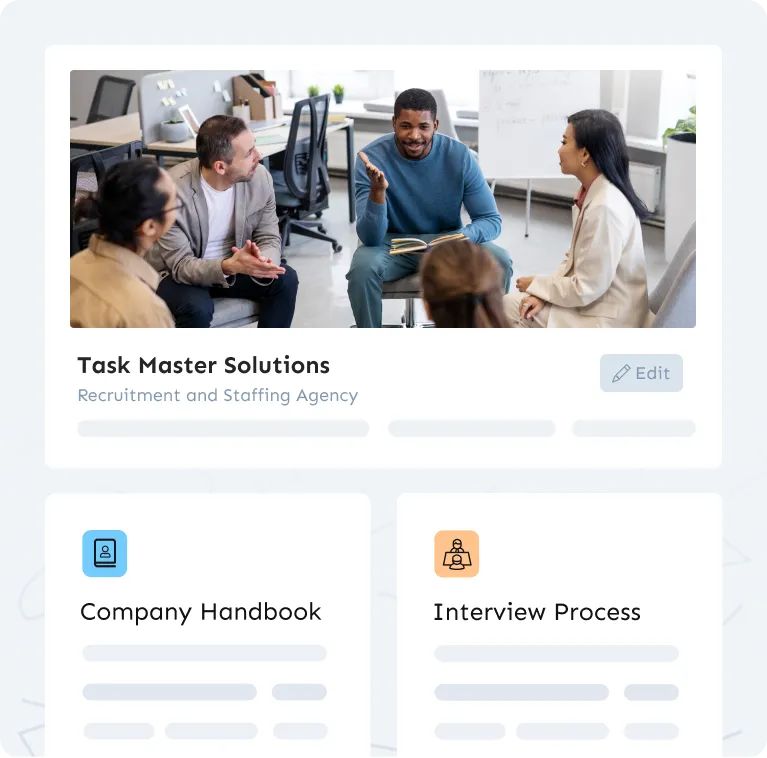
Waybook is a company playbook: policies, the employee handbook, SOPs and onboarding paths in one place. For policy management that means each policy is a document with an owner, a review date and an approval step, assigned to the roles it applies to, with a knowledge confirmation step that records who read and understood it, by name and date.
What matters here: knowledge confirmation on every policy, which is the record an audit or a dispute asks for; review dates and document verification, so each policy is checked on schedule; an approval process before anything is published; full version history and an audit log; tests on any document when reading is not enough; and assignment by role, so a new hire gets the policies for their job on day one. Policies sit beside the procedures that put them into practice, so the leave policy is next to the steps for requesting leave. Staff read and confirm on the iOS and Android apps, and updates reach them in Slack or Microsoft Teams. See employee handbook software. Capterra rates it 4.9 from 56 reviews.
Why Pro is the plan for policy management: it adds knowledge confirmation steps, document verification with review dates, the approval process, full version history and the audit log to everything in Core, plus SSO and directory sync, scheduled reports and the Waybook MCP. At $198 a month billed annually for 20 members, that is about $9.90 a member a month, and Pro annual accounts over 50 seats get 10 hours of data migration included. The quote-priced tools below sell the same controls as part of a compliance platform.
As one CEO said after seeing it: "This is a lot better than just simply publishing a whole bunch of things for people to hopefully look at. Like this really makes sure that they are."
Getting set up is your choice. Every plan includes self-led implementation: the Getting Started course and a kickoff call with your account manager. Guided Implementation, $1,500, adds 10 hours of content migration, five working sessions with your account manager to build your Waybook together, and custom training for your team, with the aim of having everyone live in under 60 days.
Our limitation: Waybook does not write legal policy text or give legal advice. Draft with our policy generator or an employment lawyer, then keep the policy in Waybook, where it is read, confirmed and kept current. Knowledge confirmation, review dates, approvals and the audit log are on Pro.
2. NAVEX One Policy & Procedure Management
NAVEX renamed PolicyTech as NAVEX One Policy & Procedure Management, a core part of its governance, risk and compliance platform. It compares document versions, runs approval workflows with thresholds such as three of five approvers, collects electronic attestation, tracks next-review dates and keeps an un-editable audit trail.
It is sold as one module of the NAVEX One platform, priced by quote on company size and the solutions bought, with bundle discounts for adding more (captured November 3, 2026). Quizzes are not listed; it mentions micro-learnings.
3. PowerDMS
PowerDMS describes its policy product as built specifically for public safety agencies: law enforcement, corrections, fire, EMS and emergency communications. It archives every version, routes policies through review and approval, collects electronic acknowledgment on any device, reminds owners of annual reviews and keeps a tamper-proof activity log.
Pricing is a custom annual quote based on agency size and products, quizzes need the Recall add-on, and PowerDMS puts average implementation at about 90 days (captured November 3, 2026).
4. ConvergePoint
ConvergePoint, now part of Ideagen, installs as an app on Microsoft 365 SharePoint Online and drafts policies in Word Online. It assigns policies to read and acknowledge from your address book, can quiz employees on a policy, routes it through reviewers and approvers, alerts owners when a policy is due for renewal and keeps an audit trail. E-signatures come through DocuSign or Adobe Sign.
It requires SharePoint, and the price is not published; buying starts with a demo (captured November 3, 2026).
5. VComply
VComply sells policy management as PolicyOps inside its governance, risk and compliance suite. It requires acknowledgment, attestation or a short knowledge check against the exact policy version, runs multi-level approvals with reminders, tracks review schedules and exports a full audit trail.
Its PRO GRC Suite modules start at $1,000 a month with unlimited users, invoiced annually with a 12-month minimum contract (captured November 3, 2026). It positions itself for regulated organizations.
6. Trainual
Trainual is a training platform with a policies section. Policies can require an e-signature, quizzes test who knows what, and version history is kept for a period that depends on the plan.
Prices are by demo, every plan carries a one-time $1,000 implementation fee, and Trainual says it is best suited to companies with 25 to 1,000 employees (captured November 3, 2026). See Waybook vs Trainual.
7. Connecteam
Connecteam is an app for deskless teams. Its HR and Skills hub handles documents with e-signatures, a tamper-proof audit trail, a review process and expiration dates, beside scheduling and chat in other hubs.
Each hub is priced on its own, and e-signed documents are capped by plan: 2 on Advanced and 10 on Expert. Free for up to 10 users; each hub from $29 a month for the first 30 users, billed yearly (captured November 3, 2026).
8. Google Docs or a shared drive
Already paid for and familiar. It stores the policy and nothing else: no record of who read which version, no owner or review date, no approval step. It works until the first time someone asks you to prove a policy was read.
Frequently asked questions
What is the best policy management software for a small business?
For a team of 10 to 200 people, Waybook: policies confirmed by name and date, with owners, review dates and approvals, at a published price with a 7-day free trial. The enterprise tools on this list are built for compliance programs and price by quote.
What should I look for in policy management software?
A record of who read and confirmed each policy version, an owner and a review date on every policy, an approval step before publishing, version history with an audit log, and assignment by role. Waybook has all five.
How much does policy management software cost?
Waybook publishes its price: Pro, which carries knowledge confirmation, review dates, approvals and the audit log, is $198 a month billed annually for 20 members, about $9.90 a member; Core is from $99 a month. Self-led implementation is included, and Guided Implementation is $1,500. Connecteam is free for up to 10 users, then from $29 a month per hub for the first 30 users. VComply's suite modules start at $1,000 a month. NAVEX One, PowerDMS, ConvergePoint and Trainual price by quote or demo. All captured November 3, 2026.
What is the difference between policy management software and a document management system?
A document management system stores files. Policy management software also proves the policy was read, keeps one current version with an owner and a review date, and records approvals and changes. See the comparison of SOPs, policies and procedures linked above.
How do I get employees to read and acknowledge policies?
Assign each policy to the roles it applies to, ask for a confirmation by name, follow up on anyone who has not confirmed, and send every change with a fresh confirmation. Waybook does this with knowledge confirmation steps on Pro.
How long does it take to set up policy management software?
With Waybook, you can start building the day you sign up: import or generate your policies, assign them by role and send them for confirmation. Teams that want help choose Guided Implementation, $1,500, which aims to have everyone live in under 60 days with content migration, working sessions and team training. Enterprise compliance tools take longer; PowerDMS puts its average implementation at about 90 days.
Is there a free trial I can start today?
Yes. Waybook has a 7-day free trial you start yourself. Import or generate your policies, assign them to the team, and see who has confirmed them by the end of the week.
Our recommendation
For teams of 10 to 200 people, Waybook Pro is the right choice: policies confirmed by name and date, owners and review dates, approvals and an audit log, the procedures and training beside each policy, at about $9.90 a member a month. Add Guided Implementation if you want us to build it with you. NAVEX One, PowerDMS, ConvergePoint or VComply if you are a regulated enterprise or public agency with a compliance team and a quote-based budget. Connecteam if your team is deskless and already runs shifts on it. Start the 7-day free trial, import or generate your policies, and see who has confirmed them by Friday.

.png)