

By Mike Bandar, Co-founder of Waybook.
A law firm needs training software that does three things a general tool does not: keeps client information inside the firm's own controls, shows per person that a paralegal or legal assistant read and understood a procedure, and sits alongside the practice management system you already run rather than trying to replace it. This guide compares six tools against those tests, for firms of roughly 10 to 200 people, and closes with a section for accounting practices, where the deadlines and the regulator differ but the problem is the same.
What a firm needs that a generic training tool does not give it
Most training software is built for a company that sells a product. A firm sells judgment and time, under rules that carry consequences for the licence. That changes what "training" has to mean.
Confidentiality by default. Procedures reference client matters, intake scripts, fee arrangements and trust account handling. Who can see what has to be controlled by role, and the firm has to be able to say where the data lives.
A record per person, not per course. When a deadline is missed or a conflict check is skipped, the question is whether that person was trained on that procedure and when. A course-completion certificate does not answer it. A read confirmation with a timestamp and a passed test does.
Role paths that match how a firm is staffed. An intake coordinator, a paralegal, a legal assistant and a first-year associate need different reading lists on day one, and the partner should not have to build them by hand each hire.
Coexistence with Clio, MyCase or Filevine. The matter lives in your practice management system. The procedure for how your firm opens a matter, runs a conflict check or reconciles the trust account has to live somewhere the whole firm reads. The two are different jobs, and the tools below are judged on the second one.
Six tools at a glance, and our verdict
Tool | Verdict for a law firm | SOPs, training, read confirmation and tests in one | Members included on the entry plan | Start yourself, published pricing | Pricing |
|---|---|---|---|---|---|
Waybook | Our pick for firms of 10 to 200 | Yes, on every plan | 20 on every plan | Yes, 7-day free trial | Published pricing, 20 members included |
Trainual | Closest alternative, sales-led | Yes | 10 on Core, then per seat (captured in-app, July 2026) | No, demo and quote | Not published; Core $249/mo captured in-app, July 2026 |
Whale | Pick if AI drafting matters most | Yes | Limited members on Scale, count not shown; 3 creators included | Yes, free plan | Free plan, or Scale $249/mo billed yearly |
Notion | Handbook storage, not training | No read confirmation, no tests | Per seat | Yes | Free, or Plus $10/seat/mo billed annually |
SharePoint or a shared drive | Storage, not training | No | Part of your Microsoft 365 or Google Workspace | You already have it | Not checked for this article |
TalentLMS | Courses and certificates | Course completion only; procedures live elsewhere | Up to 40 users on Core | Yes, free plan to 5 users | Free to 5 users; Core $119/mo for up to 40 users, billed yearly |
Prices for Trainual and Notion verified on August 12, 2026; Whale's Scale plan price and inclusions and TalentLMS's tiers captured on September 15, 2026, on each vendor's pricing page. Trainual does not publish prices, so its figure and seat count were captured inside the Trainual app in July 2026. Confirm current tiers before you compare.
The six tools for a law firm
1. Waybook
Waybook is our pick for a firm of 10 to 200 people, and it is first on this list on the two things that decide the purchase: it is the only tool here that includes 20 members on every plan and lets you start yourself on a 7-day free trial with published pricing, while doing everything the others do on procedures, training, read confirmation and tests. Waybook holds the firm's procedures and trains on them in the same place. You write how the firm runs a conflict check once, assign it to every role that touches intake, and each person confirms they read it and passes a test on it. Read confirmation on every document shows who has read each SOP and when, so you can follow up with anyone who hasn't. Knowledge tests and quizzes attach to any document, so training is verified, not assumed. Waybook Shots captures any on-screen process as a step-by-step guide in minutes, which is how a firm documents "how we open a matter in Clio" without writing a word, and the AI SOP creator drafts a structured procedure from rough notes. Every plan includes 20 members and unlimited documents, and there is a 7-day free trial. Waybook is rated 4.9 out of 5 on Capterra from 56 reviews. Two personal injury firms, Graves McLain and Hale Law, run on it; both are quoted below.
Honest limitation: Waybook runs training paths, tests and completion tracking per person; it does not issue formal certificates or track continuing legal education credit. It does not replace your practice management system, your document management system or your trust accounting software; it documents how your firm uses them.
Best for: firms of 10 to 200 that want one place for procedures, onboarding and the training record. See Waybook for legal practices.
2. Trainual
Trainual covers the same ground: procedures, training and onboarding in one product, with tests, role-based assignment and an org chart. It is a mature product with a large customer base across service businesses. Trainual does not publish prices for any plan and a demo is required for a quote; pricing captured directly in Trainual's app in July 2026 showed the Core plan at $249 a month.
What to check: the purchase is sales-led, so build in a demo cycle. Trainual does not publish a law-firm page, so ask on the demo how other firms handle role-based confidentiality. The Waybook vs Trainual page goes feature by feature.
Best for: firms that prefer a guided purchase.
3. Whale
Whale combines SOP documentation and training, with AI that drafts procedures quickly, read confirmation and quizzes. If you want the first draft of every procedure written for you, it belongs on the shortlist next to Waybook. Whale has a Free Forever plan; the Scale plan is $249 a month billed yearly, or $399 billed monthly (verified August 12, 2026).
What to check: how the per-person record is reported, and how role-based access is handled for procedures that reference client information.
Best for: firms that want AI to do most of the drafting.
4. Notion
Many firms start their handbook in Notion because it is fast to write in and already open on every screen. Notion has a free personal tier; the Plus plan is $10 per seat a month billed annually, or $12 billed monthly (verified August 12, 2026).
What it cannot do: there is no read confirmation, no test and no per-person completion record. You can see that a page was viewed; you cannot show that a legal assistant read the trust accounting procedure and understood it. For a firm that is the whole point. The Waybook vs Notion page covers the gap.
Best for: a firm that only needs a shared place to write things down.
5. SharePoint or a shared drive
This is where most firms keep the office manual today: a folder of Word documents and PDFs, sometimes a 100-page manual nobody opens. It costs nothing extra and everyone has access.
What it cannot do: it cannot assign, confirm, test or report. The manual is read once at hire, if at all, and the firm has no record of who read which version. Sharon van Dyke at Graves McLain describes replacing exactly this below.
Best for: storage. Not training.
6. TalentLMS
TalentLMS is a full learning management system: a course builder, SCORM and xAPI support, assessments and certificates. If the firm needs to run formal courses and issue a certificate at the end, it does that well. Pricing is a flat monthly fee by user band: a free plan for up to 5 users, then Core at $119 a month for up to 40 users, billed yearly (verified September 15, 2026).
What it cannot do: it is a course system, not a place to keep your procedures. The conflict-check procedure lives somewhere else, and when it changes the course has to be rebuilt separately.
Best for: firms that already have course content and need certificates.
What is the best training software for a law firm, and what should it do that a generic tool does not?
For a firm, the right tool keeps the procedure and the training on it together, controls who sees what by role, shows per person that a procedure was read and understood, and works next to the practice management system rather than competing with it. Waybook, Trainual and Whale are built that way; Waybook is the one with published pricing and a trial you can start yourself. Notion and a shared drive store the manual but cannot show anyone read it. An LMS delivers courses but keeps the procedures somewhere else.
The test to run on a trial: write one real procedure, the one that causes the most questions at your firm, assign it to two people in different roles, and see whether the tool can tell you a week later who read it, who passed the test and who is overdue. If it cannot, it is document storage with a training label.
What to document and train first
The order matters less than starting. The procedures that pay back first in a firm are the ones that interrupt a partner most often and carry the most risk when done wrong: new-matter intake and the conflict check, deadline calendaring and who confirms it, trust account deposits and reconciliation, client communication standards, file opening and closing in your practice management system, and the first week for each role. Our law firm bottleneck guide lists the first ten procedures with owners, and the legal practice blueprint covers the wider system. This page is about the tool that holds them.
Proving it: the bar, the carrier and the client
A firm is asked to prove training more often than it expects. A bar complaint about a missed deadline turns on whether the person responsible knew the firm's calendaring procedure. A trust account audit asks who was trained on deposits and reconciliation, and when. If your malpractice carrier's application asks about written office procedures, "yes, and here is who has read them" is a different answer from "yes, there is a manual". A corporate client's vendor questionnaire may ask how staff are trained on confidentiality.
The record that answers all four is the same: the procedure, its version, who was assigned it, who confirmed reading it and when, who passed the test. In Waybook that is the progress view, filtered by person or by document. In Trainual it is the per-person report. In an LMS it is the course record, which works if every requirement is a course. In Notion or SharePoint it does not exist, so the firm reconstructs it from memory and email, which is what the audit is testing.
Two firms on the record
Graves McLain is a 35-person personal injury firm in Tulsa. Before Waybook, the office manual was a 112-page Word document and Sharon van Dyke, Director of Operations, spent 30 to 40 percent of her day answering questions it should have answered.

I foresee that it'll probably decrease our in-person onboarding time by more than 50%. But more importantly, I see it reinforcing the information... to be able to go back and see the training and the information in black and white.
Hale Law is a 30-person personal injury firm in Sarasota. Policies lived in emails and no two new hires got the same training. The firm puts the saving at more than $60,000 a year, with onboarding time halved.

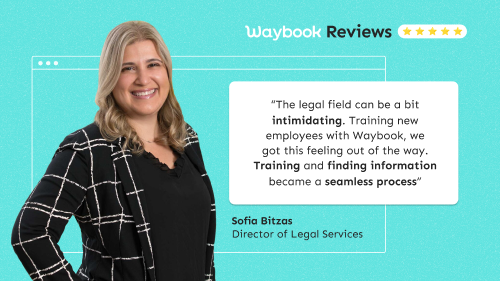
Waybook gives us peace of mind because everything is documented and tracked. We know everyone is on the same page, and there's no room for error.
Both stories are published in full: Graves McLain and Hale Law.
If you run an accounting firm instead
Everything above holds with the nouns changed. The deadlines are filing dates rather than court dates. The regulator is your professional body and the tax authority rather than the bar. The roles are staff accountants, seniors and bookkeepers rather than paralegals and associates, and the seasonal hire before busy season is the onboarding problem that hurts most. The procedures that pay back first are engagement letters and onboarding a new client, the workpaper and review-note standard, the filing calendar and who confirms it, client document requests, and the software your firm actually uses for each. The tool test is identical: can it show, per person, that the new senior read the review standard before the first return went out the door. We do not yet have an accounting firm story to quote here; the two law firms above are the closest published proof, and the professional services page covers the wider category.
Frequently asked questions
As a managing partner: what is the best training software for a law firm?
One that keeps procedures and training together, controls access by role, records per person that a procedure was read and understood, and sits next to your practice management system. Waybook, Trainual and Whale are built for that. An LMS suits a firm that runs formal courses; Notion and a shared drive store the manual but cannot prove anyone read it.
As a firm administrator: how do I train paralegals and legal assistants the same way across two offices?
Write each procedure once, assign it by role rather than by person, and require a read confirmation and a short test. Both offices then get the same reading list on day one, and you can see from one screen who has finished. When the procedure changes, update it once and everyone sees the new version.
As an operations director: can Waybook or Trainual replace Clio, MyCase or Filevine?
No, and they should not try. Practice management holds the matter, the calendar, the billing and the documents. SOP and training software holds how your firm uses those systems and trains people on it. Keep both; the procedure for opening a matter in Clio lives in the training tool, the matter lives in Clio.
As a partner at an accounting firm: does the same approach work for an accounting practice?
Yes. Swap court deadlines for filing deadlines, the bar for your professional body, and paralegals for staff accountants. The seasonal hire before busy season is the sharpest version of the onboarding problem, and a per-person training record answers the same reviewer questions. The accounting version, with its own tools and prices, is in the accounting firm comparison.
As a solo or small-firm owner: how do I document procedures without giving up billable hours?
Capture instead of write. Record the procedure once while you do it, with a screen-capture tool like Waybook Shots or with AI drafting from your notes, then correct the draft. Start with the one procedure that generates the most interruptions. Sharon van Dyke's advice from Graves McLain: don't overthink it, get it in there.
As a partner who worries about compliance: how do I show the bar or our malpractice carrier that staff were trained on conflict checks and trust accounting?
Keep the procedure, its version history and a per-person record of read confirmations and test results in one tool, and pull the report when asked. A manual on a shared drive shows that a procedure existed; a training record shows that a named person read that version and understood it on a given date.
As a firm administrator: how do I keep procedures current when the rules change?
Give each procedure an owner and a review date, keep version history, and send changes back to the people who must re-read them with a read confirmation. Waybook keeps all of that per document, which is the record a compliance review asks for.
As a managing partner: how quickly can a firm get set up?
The first procedures can be written the same day with the AI SOP creator, and a 20-person team is typically assigned and read-confirmed inside a week. Start with intake and conflict checks.
As an operations director: how hard is it to move our existing procedures across?
Paste or attach them and Waybook's AI Assistant drafts the structured version; the Waybook team maps a migration from another tool, usually in about a week.
As a small-firm owner: is there a free trial I can start today?
Yes. Waybook has a 7-day free trial you start yourself. A week is enough to put intake and conflict checks in and see who has read them.
Our recommendation
If your firm runs formal courses and needs certificates, choose an LMS. If your firm's training is its procedures, and the question you keep facing is whether a named person read and understood one, choose a tool that documents and trains in one place. Waybook is built for that, for firms of 10 to 200, with read confirmation, tests and the per-person record alongside your practice management system. The broader employee training software comparison covers nine tools across every industry; this page is the law firm version.