When something has to be done by a date, say so. Set a specific deadline on any document or learning path and everyone who must complete it sees it on their dashboard, with reminders along the way and reports that show who's on track.

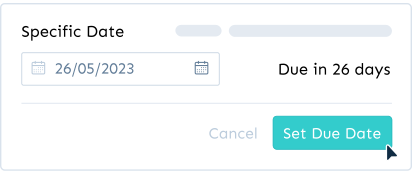
Deadlines turn good intentions into completed training. With fixed due dates you pick a specific date from the calendar, and every team member who is required to complete that document or learning path sees the deadline clearly on their dashboard. It's the right tool when the date is the same for everyone: a new policy that takes effect on the first of the month, a tool launch, a compliance requirement or a certification window.
Due dates only apply to members who have the completion requirement switched on, so reference material stays reference material and the deadline lands with the people it's meant for. As the date approaches, notifications and weekly summary emails keep it visible, and managers can see progress against the deadline in Reports without chasing anyone individually.
Need deadlines that adapt to each person or repeat automatically? Advanced Due Dates on Pro add relative deadlines that count from the day someone gains access and recurring deadlines for annual compliance training and policy reviews.